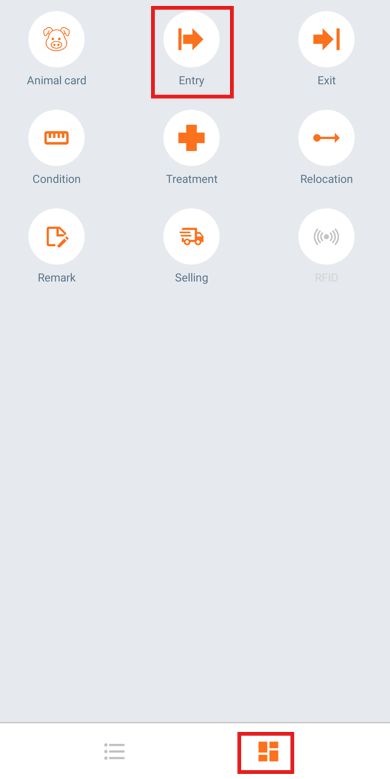
To enter a new animal into the database, from the Home screen tap on the right hand navigation button at the bottom of the screen to display the screen with the menu items.
Tap the "Entry" icon.
Enter the Tattoo number and the Official Animal ID (for boar farms) or the Animal Number (for sow herds) for the new animal, as shown in the image. Next, select the animal’s entry date. You can adjust the date by tapping the ‘+’ or ‘–’ buttons to move the date forward or backward, or tap directly on the displayed date to open the calendar and choose a specific date.
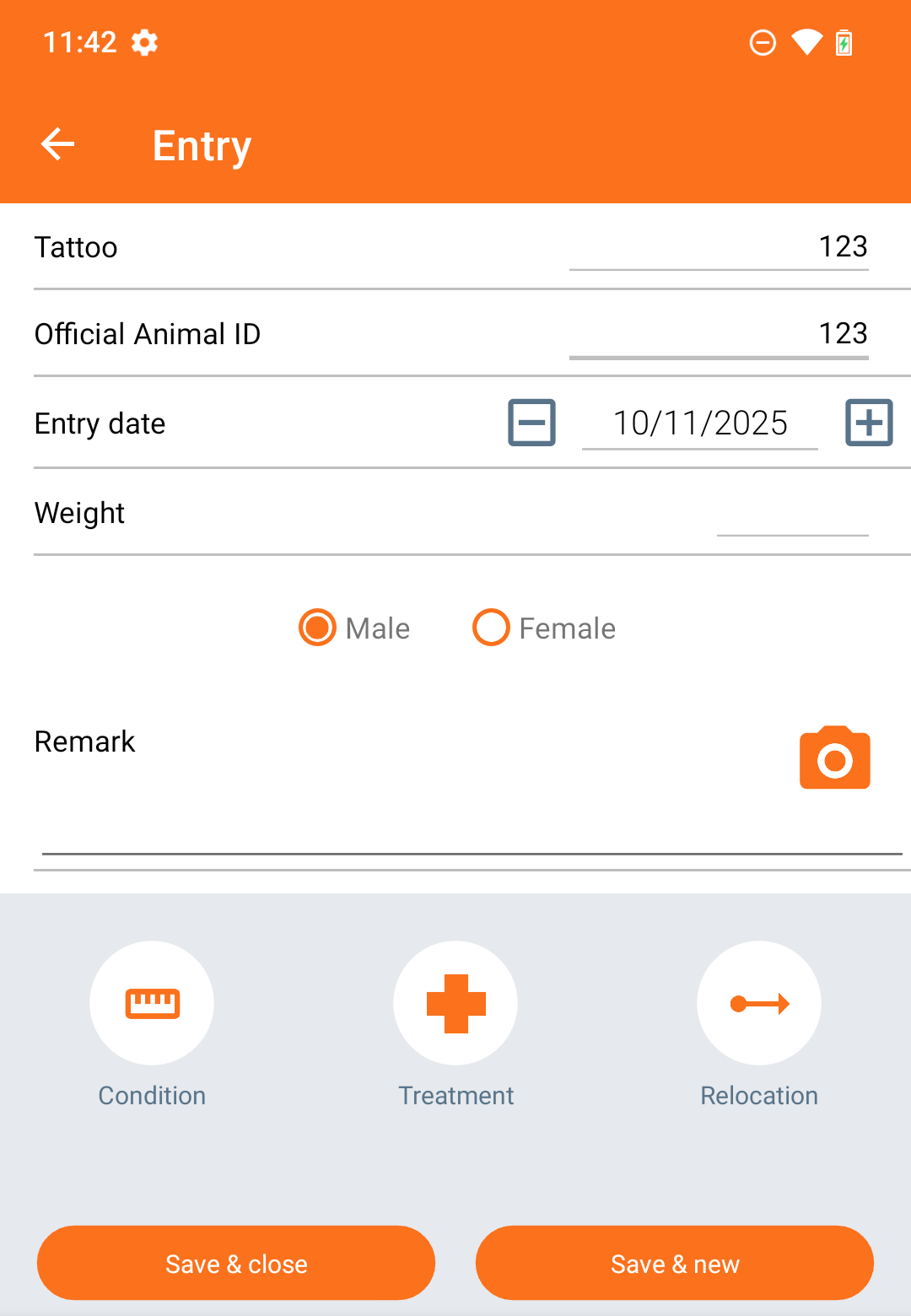
If this is the only animal you wish to enter, tap "Save & Close". If you want to enter another animal, tap "Save & new".
If you want to give this new animal another event after the entry, tap one of the extra event buttons at the bottom. Other options will show if you swipe the screen to the left.
Was this article helpful?
That’s Great!
Thank you for your feedback
Sorry! We couldn't be helpful
Thank you for your feedback
Feedback sent
We appreciate your effort and will try to fix the article