The "Settings", "Synchronization", and "Notifications" features help you manage how the mobile app operates and communicates with the web application. From the home screen, you can access options to configure app settings, synchronize your data, and view important notifications related to your farm and animals.
This article explains how to access these functions and how they help keep your mobile app data up to date with the web application.
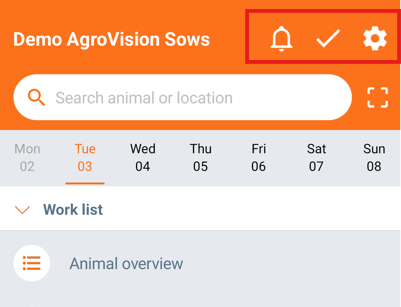
On the home screen, you will see three icons in the top-right corner.
Settings
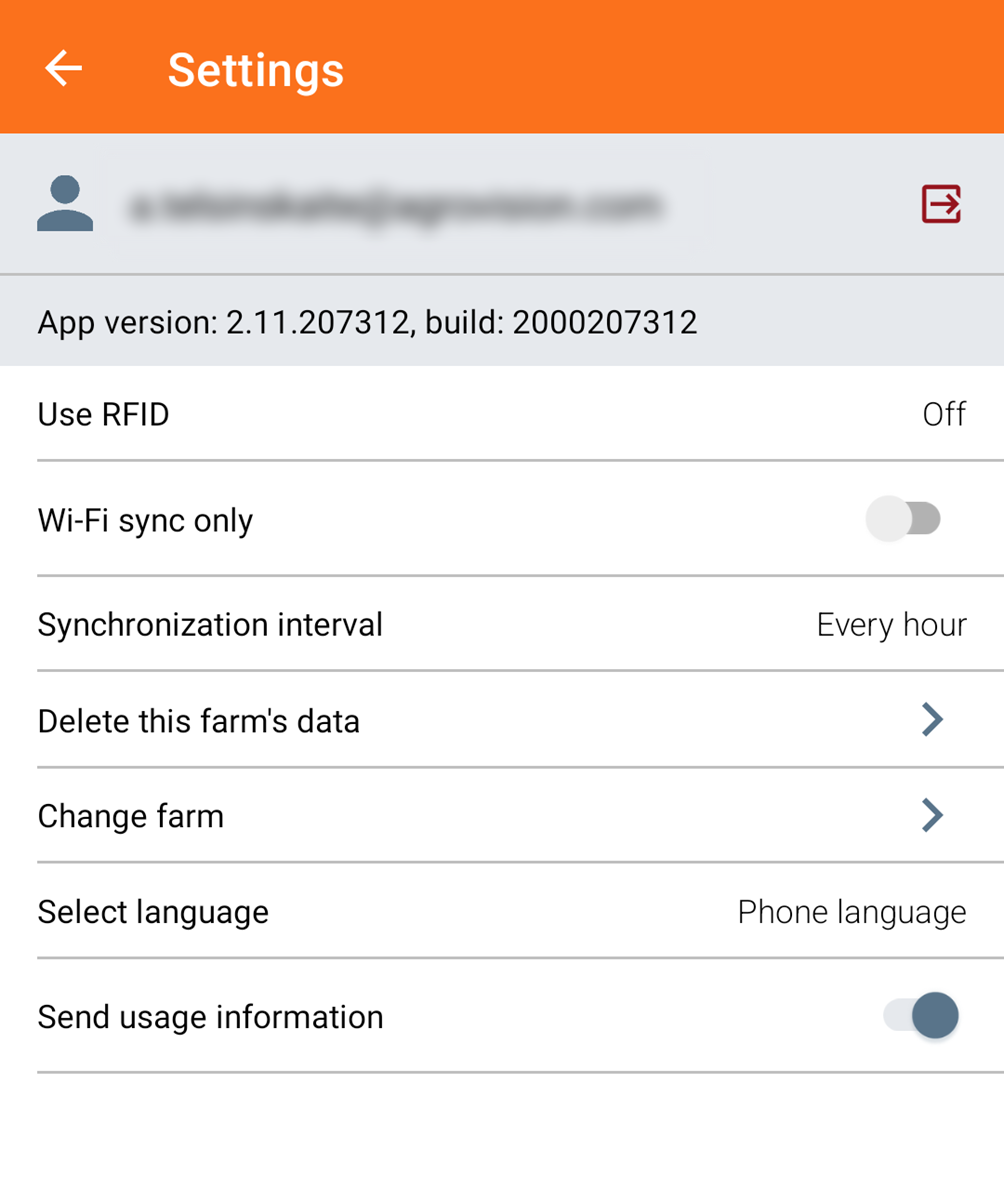
Various settings can be accessed by tapping the gear icon.

Here you can configure several options, such as:
- Connecting a Bluetooth reader
- Choosing whether to work online or offline
- Setting how often the app synchronizes with the web application.
- Delete farm data (this may be useful if there is a difference in animal status between the mobile app and the web application)
- Switch between farms
- Change the application language.
Synchronization
The synchronization centre is accessed via the check mark icon.

When you open it, you will see:
- An overview of items that still need to be synchronized
- An overview of items that are already synchronized.
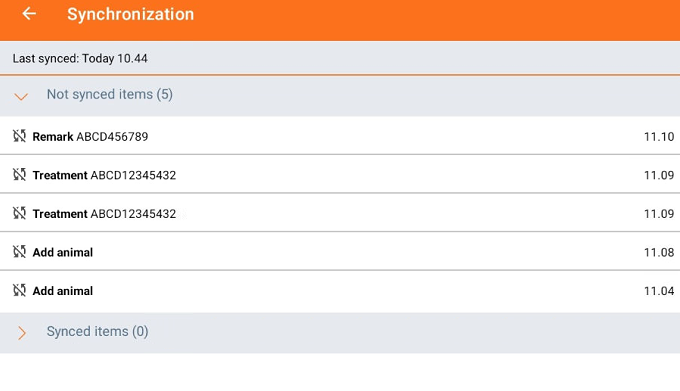
The synchronization centre can be displayed with different icons, depending on the status of the synchronization.
- Items are synchronized with AgroVision Sows web application.

- New items are not yet synchronized
The synchronization of new data takes place every hour (by default), but it is possible to manually sync by pressing the sync all button or change the interval in settings.
Delete or edit an action
You can edit or delete actions before they are synchronized with AgroVision Sows. Read more.
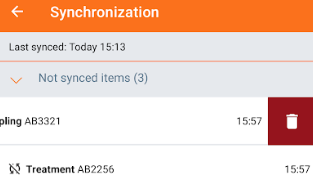
To edit action click on an event line and edit the data before synchronization if something was entered incorrectly.
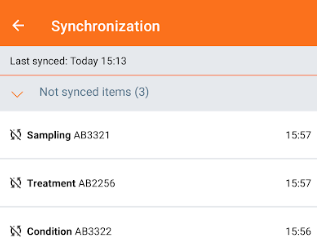
To delete an action, swipe the line to the left. A bin icon will appear. Tap it to delete the action.
Notifications
Tap the bell icon to view your notifications.

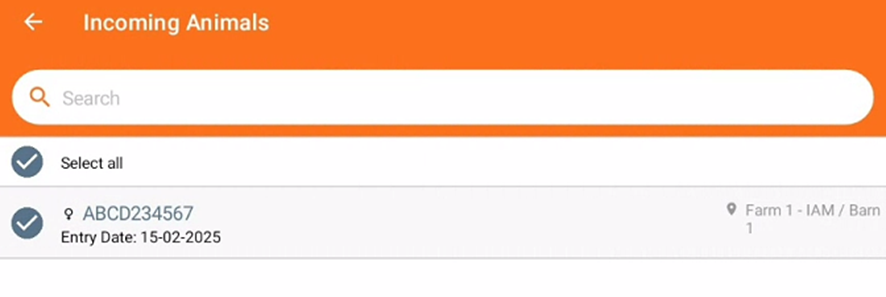
"Notifications" may include events such as animal relocations to your farm from another one of your farms. To respond to a notification:
- Tap the "notification"

- Choose whether you want to "accept" or "decline" the action.
Was this article helpful?
That’s Great!
Thank you for your feedback
Sorry! We couldn't be helpful
Thank you for your feedback
Feedback sent
We appreciate your effort and will try to fix the article