A Group registration in the mobile app allows you to record an event for multiple animals at once. Instead of registering each animal individually, you can select several animals, add them to a list, and apply an event to the entire group in one action.
The functionality of group registrations is available in all work lists (where applicable).
To do this, use the "Work Lists" menu on the home screen. This makes it easy to select groups of animals and register events efficiently.
To select animals for a group registration you can use the default worklists on the home screen ("Animal Overview" and "Custom list").
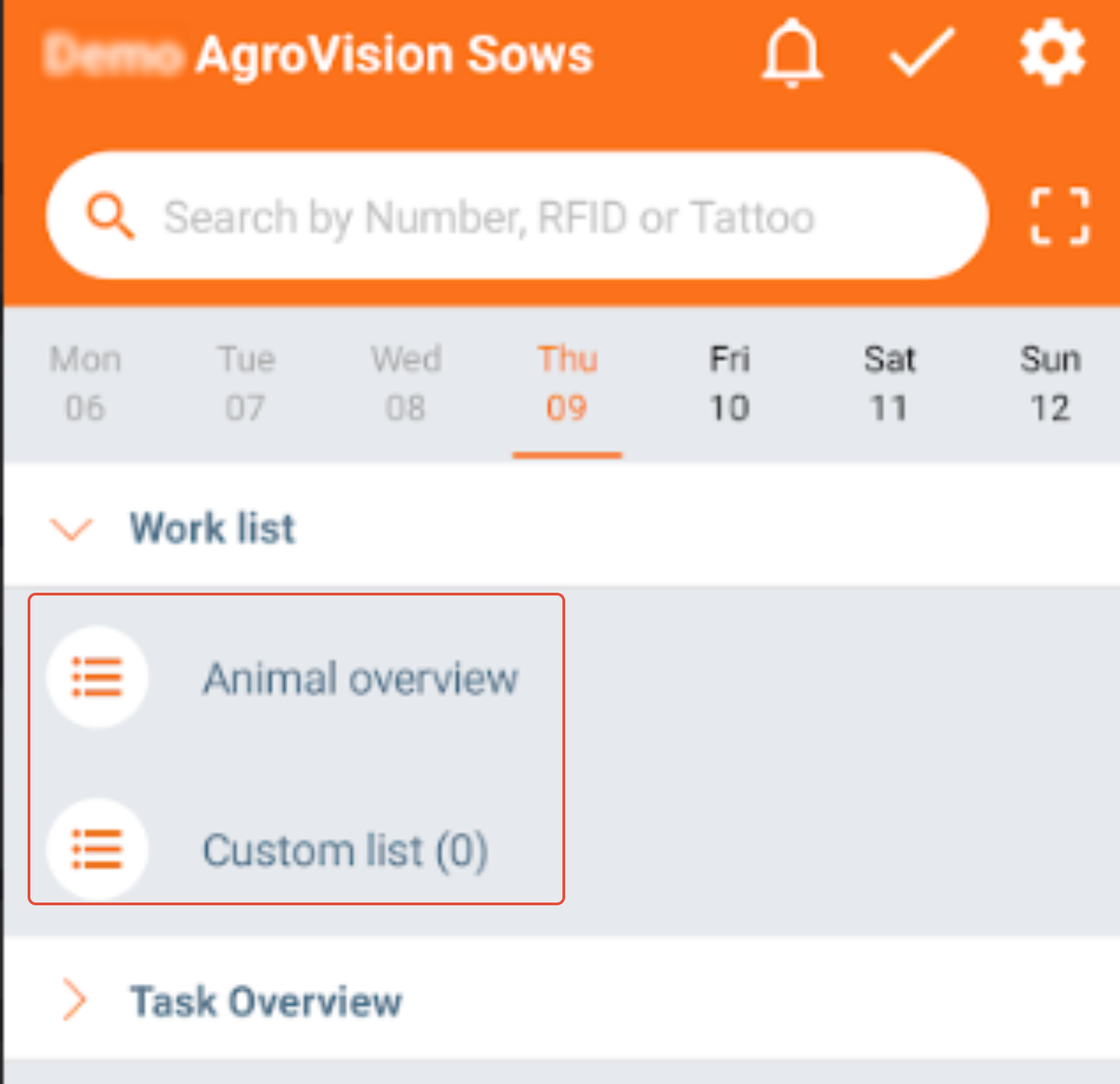
- "Animal overview": Here, you can see all your animals in AgroVision Sows. You can create worklists with different criteria by clicking on the "Filter" icon in the top left of the screen.
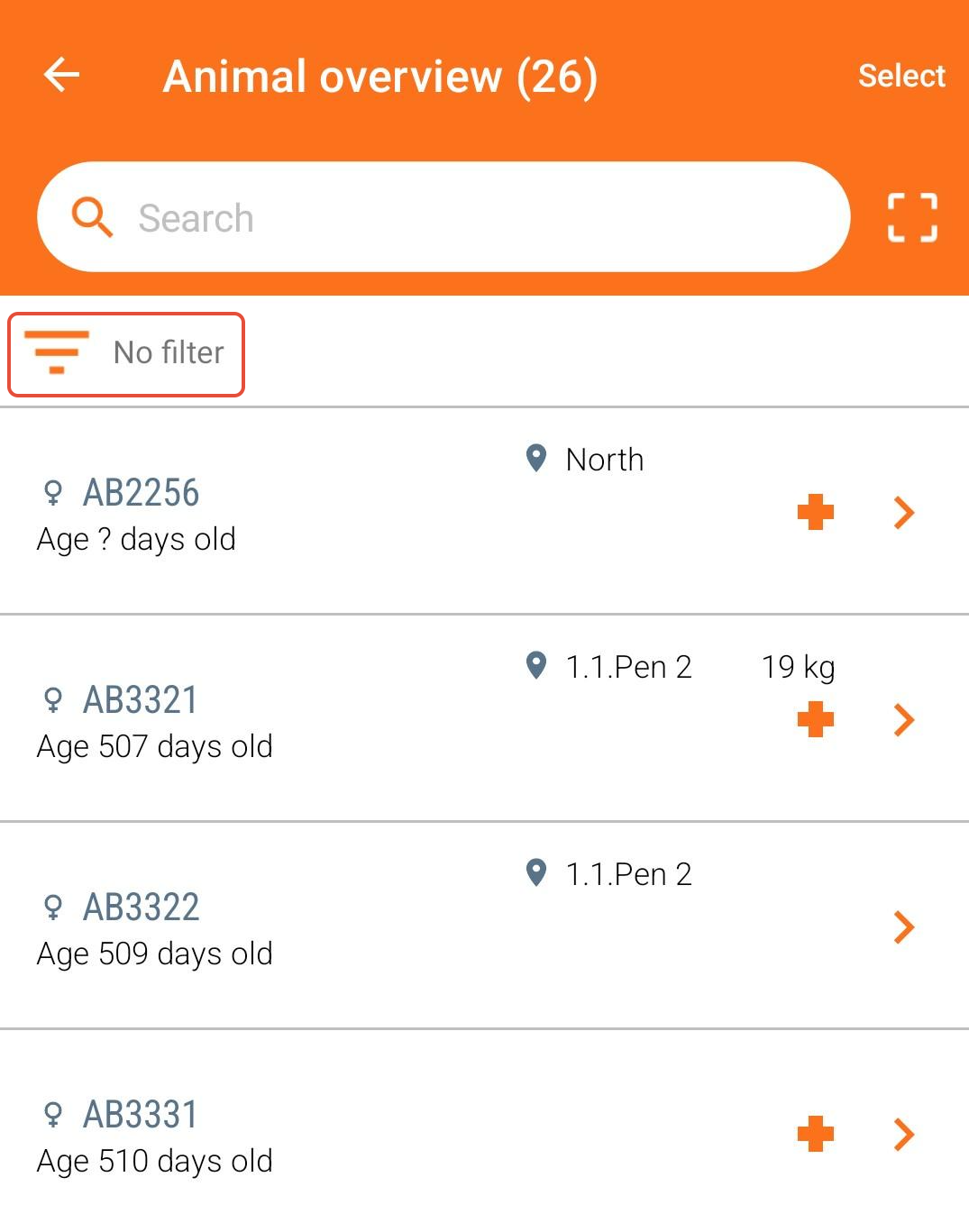
Choose one or more criteria for the animals you want to include in the list. The selected criteria can be named and saved, allowing you to re-use it later. You can create and save as many work lists as needed.
Select the filter criteria you want to use. In this example, animals are selected based on their location. Choose a location and give the work list a name to use it again in the future.
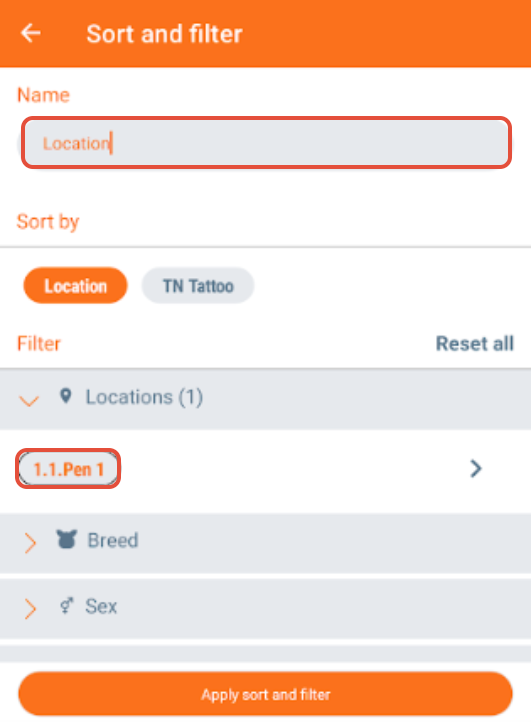
Click "Apply sort and filter". A list of animals matching the selected criteria will appear.
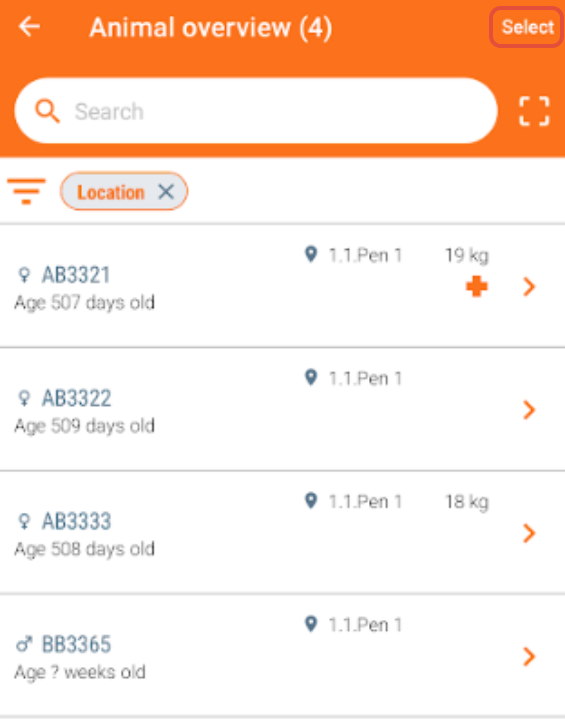 Click "Select" at the top of the screen to choose animals for registration. Click "Select all" if you want to register an event for all animals in the list.
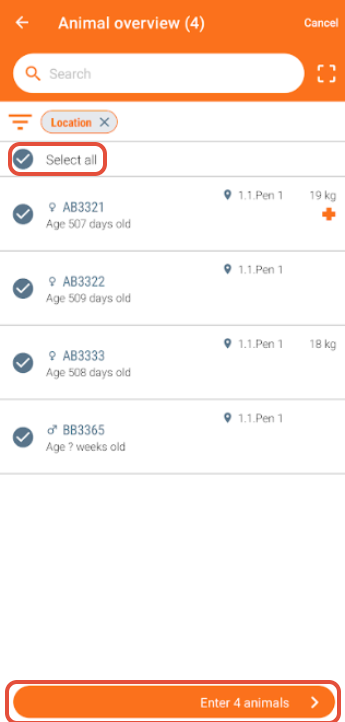
After selecting the animals, click "Enter x animals" at the bottom of the screen to proceed.
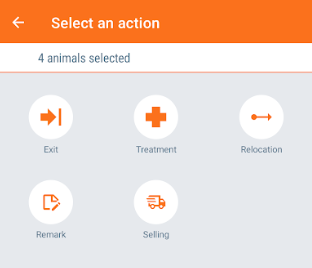
Click on the action you want to register, for example "Relocation".
After selecting "Relocation", a list of available locations will appear. Choose the location where the animals should be moved to. You can also move animals to another site by selecting "Other sites".
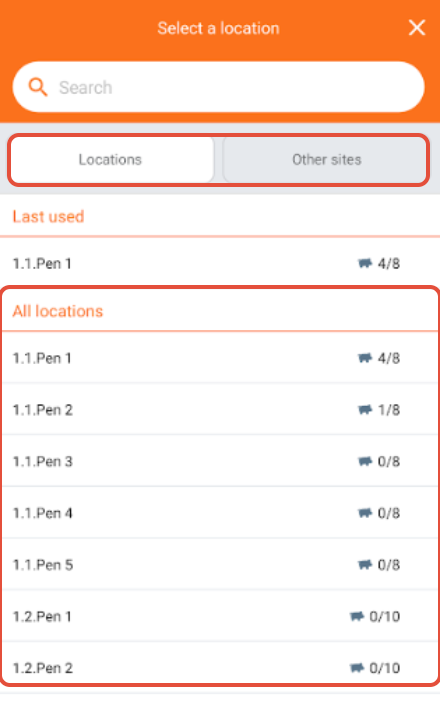
Select the location or site and enter the required information. Add a remark if needed.
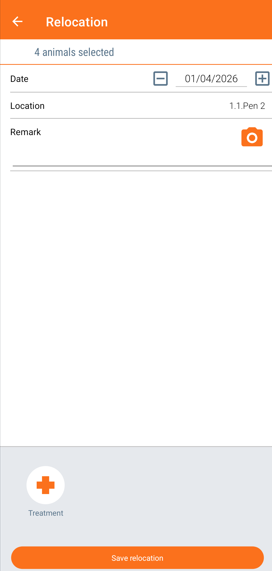
Click "Save relocation" to complete the registration.
- "Custom list": Use this list to select animals manually or by "location".
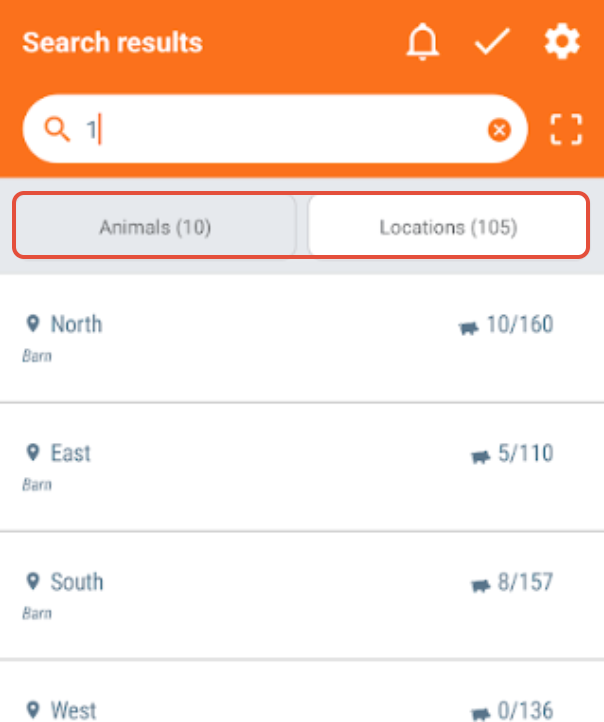
After searching for and adding animals to the list, you can register an event.
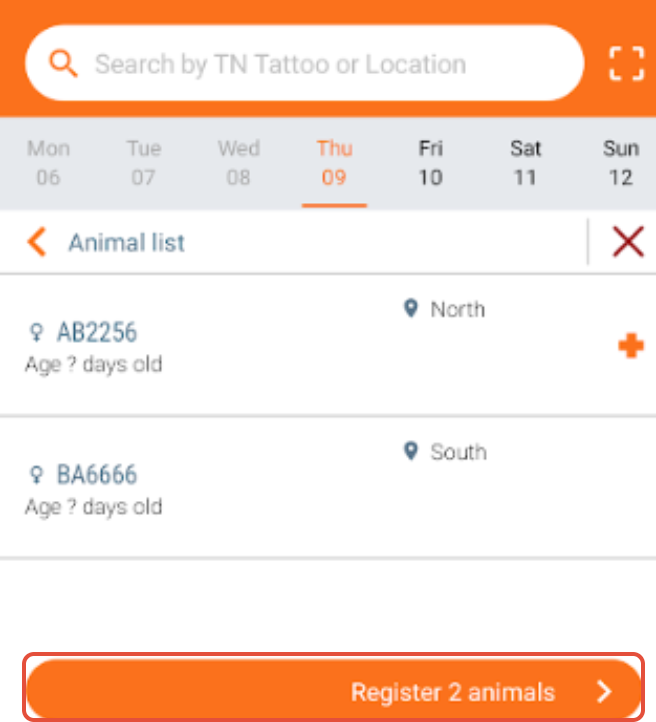
Click on "Register x animals" and select the event you want to register on these animals. The following steps are the same as described above under "Animal overview"
Was this article helpful?
That’s Great!
Thank you for your feedback
Sorry! We couldn't be helpful
Thank you for your feedback
Feedback sent
We appreciate your effort and will try to fix the article