You can use the "Retreatment" work list when an animal needs to be treated more than once.
Use this function when:
- An animal needs treatment for several days in a row (for example, 3 days).
- An animal needs treatment every second day.
- Any treatment must be repeated according to a schedule
Medicine and work lists for retreatment needs to be set up in your AgroVision Sows webapp before you are able to use it in AgroVision sows mobile. In the webapp you also setup on how many days animal must be treated. Read more how to setup treatment plans.
Once set up and the data is synced to the mobile app, you will see a new "Retreatment" option on the home-page. This is used for subsequent treatments after the initial one in the days that follow.
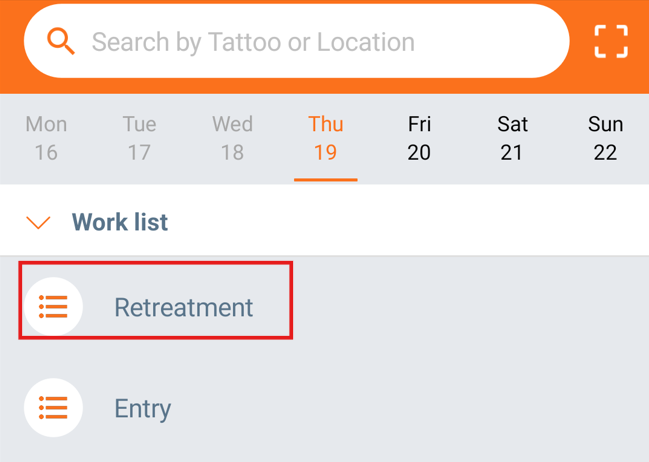
When you record the first treatment (day 1), the system automatically plans the next treatment(s).
On the next treatment day, the animal will appear in the "Retreatment" list.
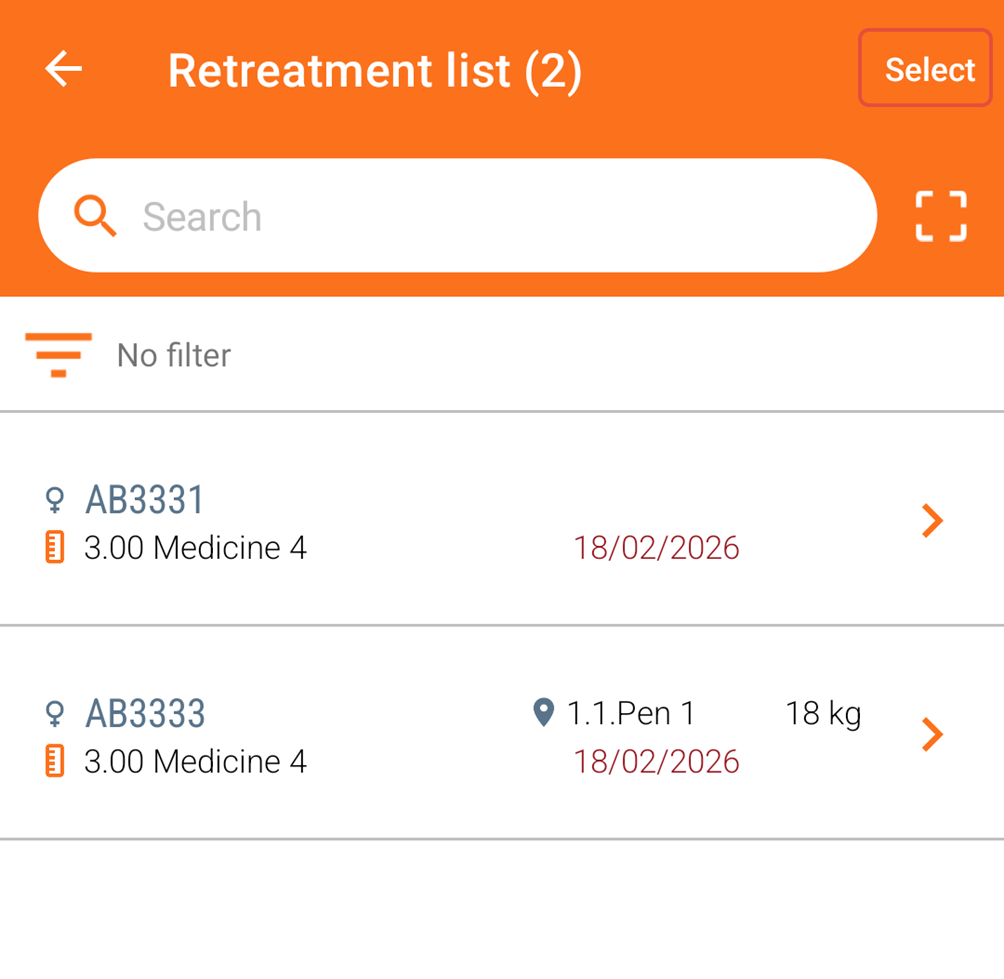
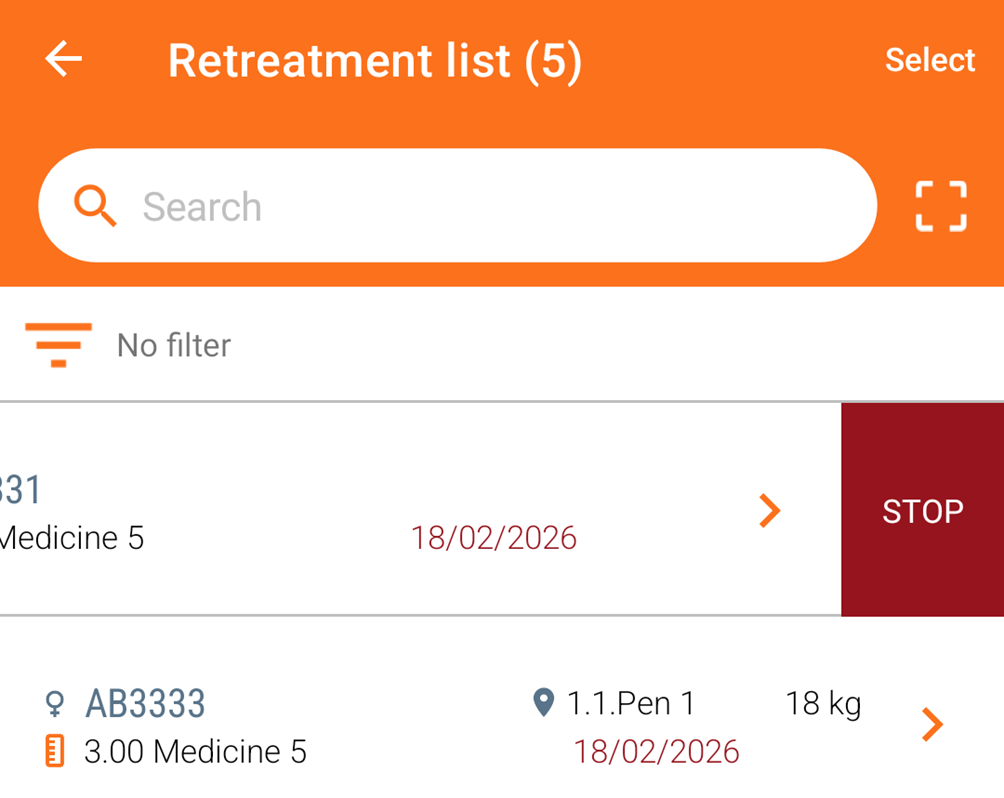
Open the "Retreatment" list to get a list of animals that needs retreatment.
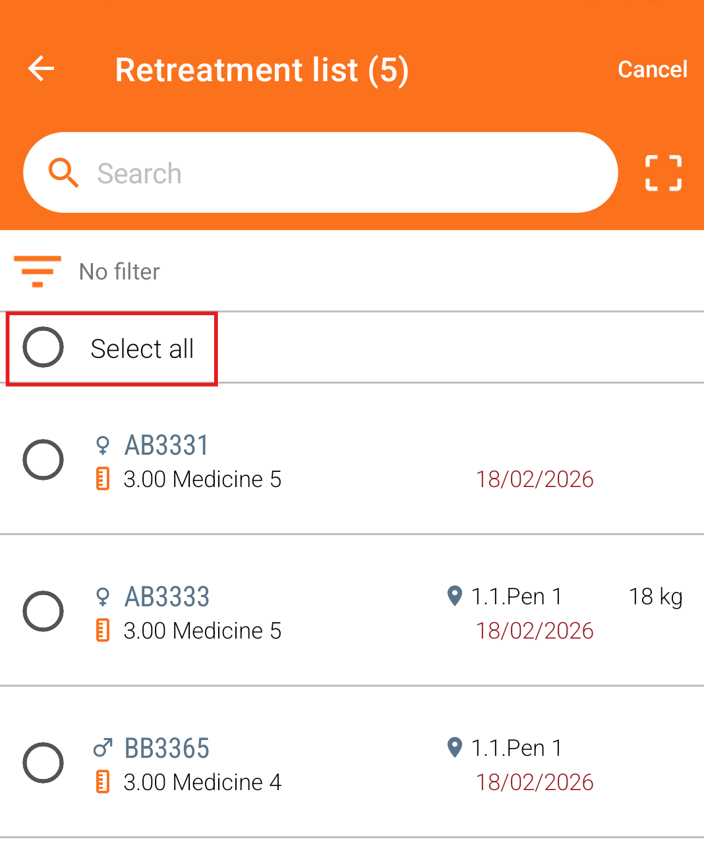
Click on the animal, which you need to treat again. You can also retreat several animals by clicking on "Select" in the top.
Choose which animals by selecting each of them or you can select all.
The treatment is already remembered on the animal, so you just click "Save". If there is no more retreatments on the animal, it will disappear from the list, otherwise the animal stays on the list until the treatment is finished.
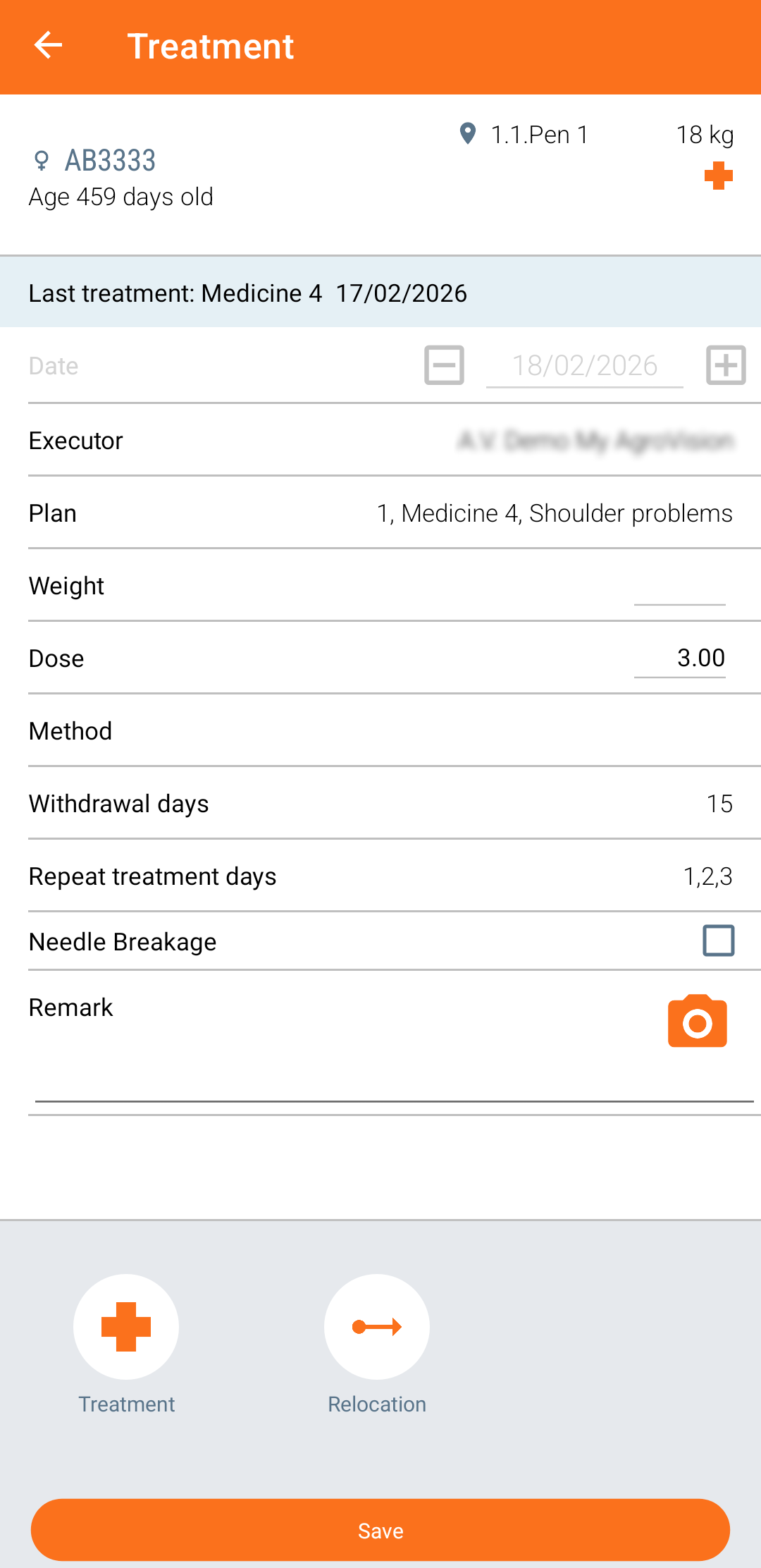
It is also possible to add an additional treatment or relocate the animal. To add a treatment, click on the "Treatment" icon at the bottom of the screen and select new treatment. Press "Save".
To relocate the animal, click on "Relocation" and choose a location to which you relocate the animal. Click "Save".
If needed, you can stop an animal’s retreatment by swiping the treatment to the left until the "STOP" button appears. Tap "STOP" to end the treatment.
Was this article helpful?
That’s Great!
Thank you for your feedback
Sorry! We couldn't be helpful
Thank you for your feedback
Feedback sent
We appreciate your effort and will try to fix the article