Before you can start registering treatments in AgroVision Sows, you must create your treatment plans, which consist of a medicament and a cause. Read more on how to create one or more treatment plans.
When the medicine setup is finished, go to "Animal events" - "Treatment" to register treatments on animals.
Here, you can register the treatment on single animals by pressing "+ Add new row" and register the treatment in the empty line in the top of the window. You can also choose to treat a group of animals, which is described at the end of this article.
When registering a treatment on a single animal, you enter the animal tattoo in the first column. You can use the TAB key on your keyboard to move to the next column. Enter location and date, select a treatment plan from the list and write the relevant information in the following columns.
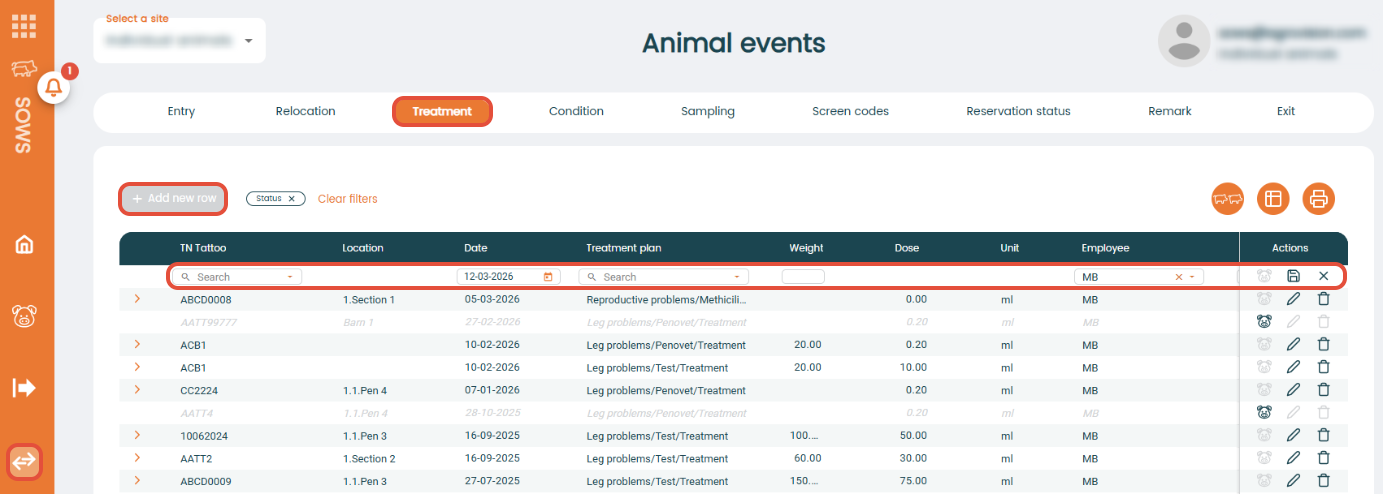
If you need to make any changes in the treatment plan, you need to go to "Settings" - "Health" - "Treatment plan".
Retreatment
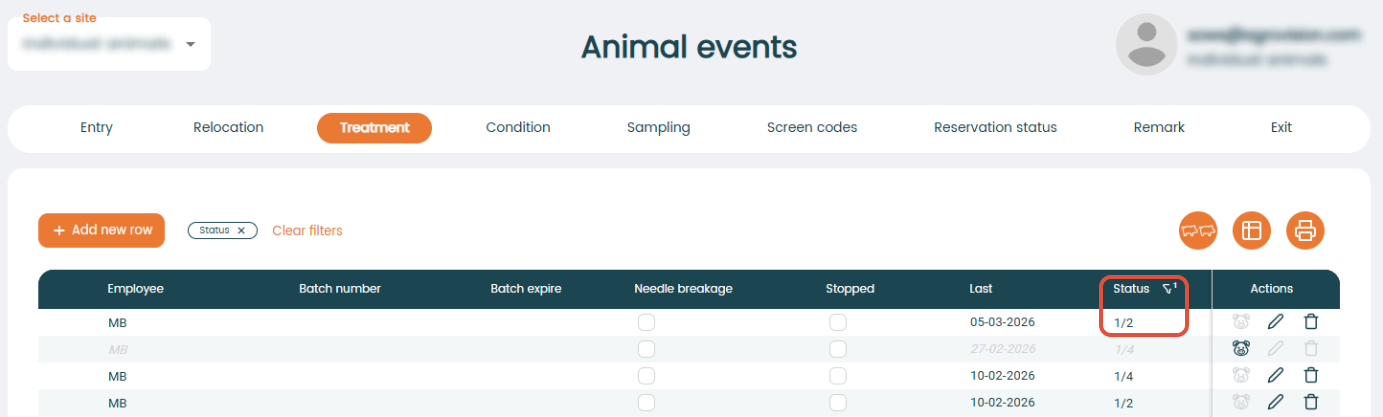
When choosing the treatment plan, the program will show how many treatments remain in the "Status" column for the treated animal. In this example, you have completed one out of two treatments.
Animals that need retreatment will appear on the "Retreatment" worklist under "Task management" - "Worklist".
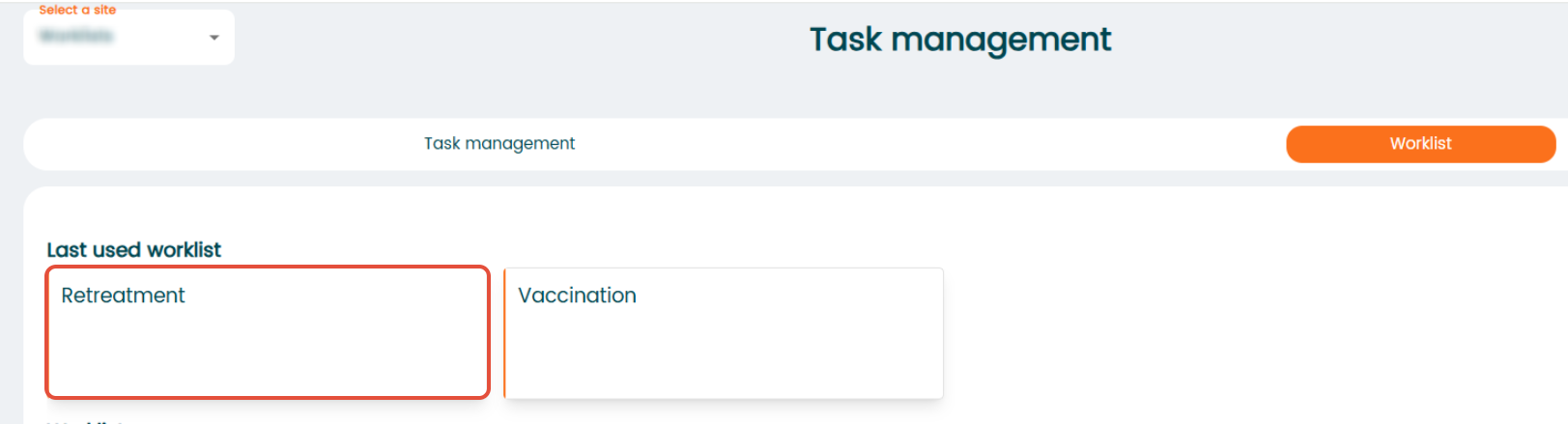 Click on the ‘Retreatment’ list to open a new tab in your browser with a list of animals that require retreatment. Read more.
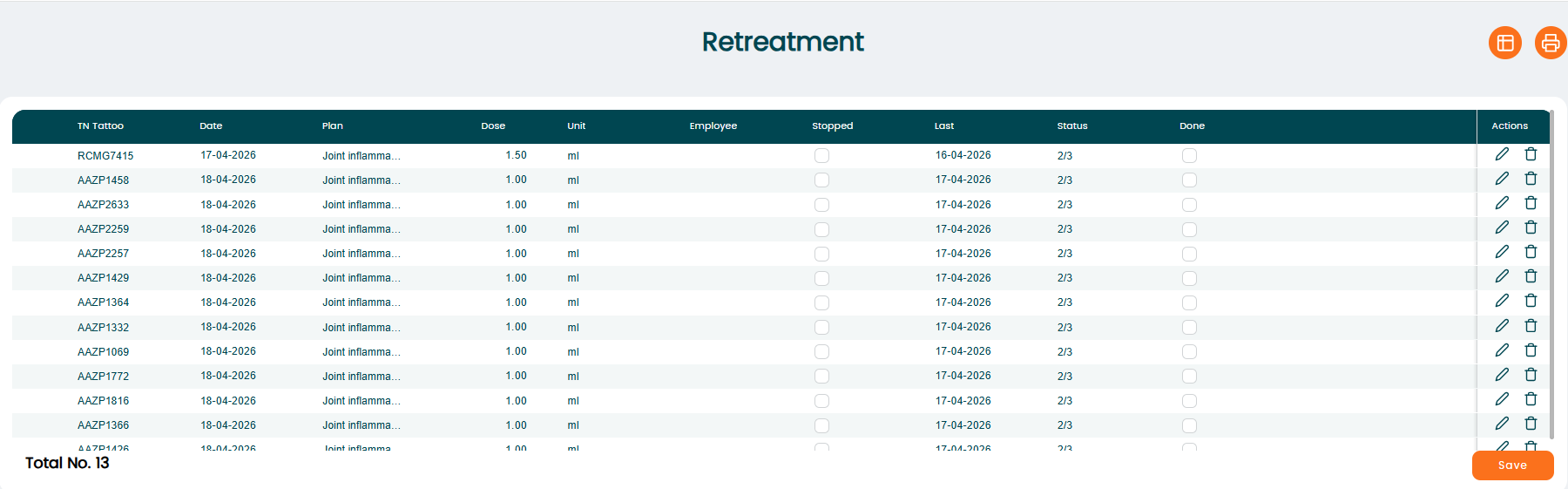 You can check ‘Stop’, and the animal will be removed from the list even if the treatment is not finished.
Treatment of a group of animals
If you want to register treatments on a group of animals, click on the icon "Go to group registration".

Press the "+ Add new row" icon to create a new registration. As this type of registration is based on location, start by choosing which location you want to treat your animals.
By default, all animals in the location will be check marked. If not all animals should be treated, simply remove the check mark from the box for any animal in the location.
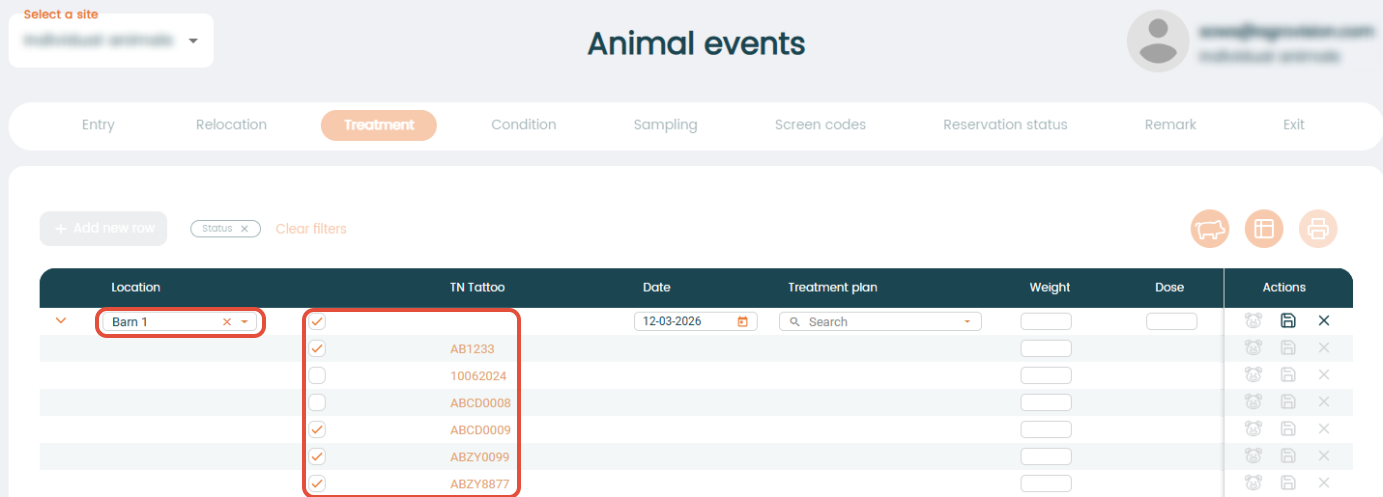
Continue by entering date and choosing your treatment plan. It is also possible to register the individual weight of the animals if required.
Press "Save" when done and you have now treated multiple animals in a specific location.
Was this article helpful?
That’s Great!
Thank you for your feedback
Sorry! We couldn't be helpful
Thank you for your feedback
Feedback sent
We appreciate your effort and will try to fix the article