In "Settings" - "Production" - "General", you can setup the production type of your farm. This production type can only be chosen when setting up a new site. At that time, you have the option to choose either "Sow Management" or "Individual Animal Management".
- "Sow management" system is for managing whole sow herd: farrow-to-weaning.
- "Individual animal management" system is for boar farm only. If you choose Individual animals management, all sow related events are filtered away.
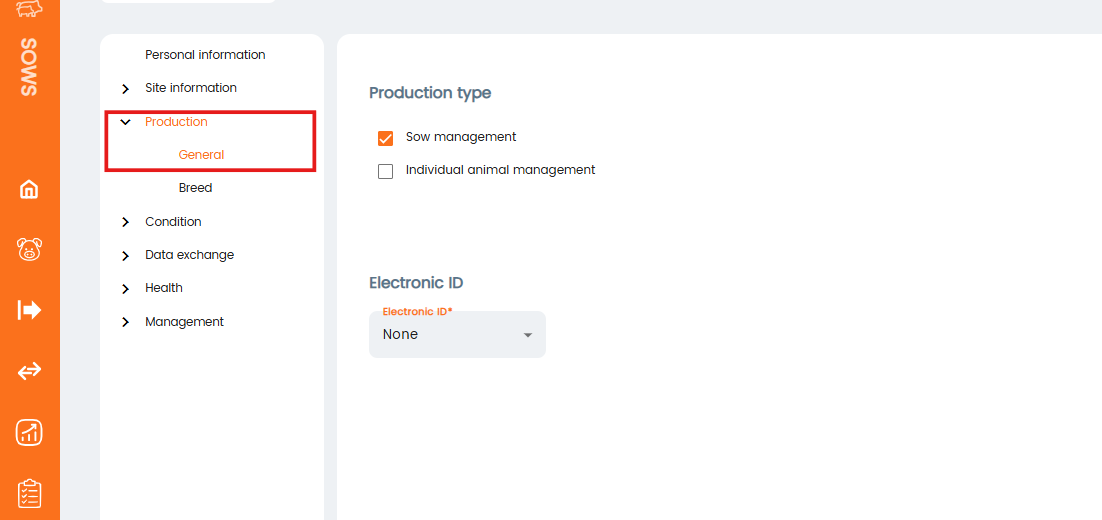
Electronic ID
Here, you can also select the type of electronic ID, as it is possible to connect a reader and scan EIDs using the mobile app.
Was this article helpful?
That’s Great!
Thank you for your feedback
Sorry! We couldn't be helpful
Thank you for your feedback
Feedback sent
We appreciate your effort and will try to fix the article