In all pictures where filter lines are available, it is possible to use it for refining a search to see an overview of your data.
In every data entry or report screen you will find a filter line next to the column headings. Hover your mouse over the heading of the column and the filter sign will appear. In this example, the filter is applied to "Location".

Find the item you want to filter on in the drop down menu and click on it.
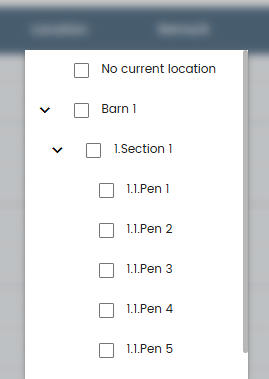
Selected items are marked with a checkmark.
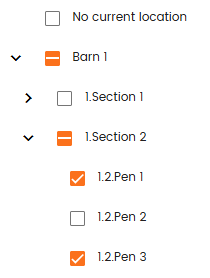
Click anywhere outside the filter selection to apply the filters. It is possible to use use as many filters as available simultaneously.
To delete a filter, just click in the X appearing next to it. Then the filter will be deleted.

All the filters can be deleted in one click using the "Clear filters" button

Was this article helpful?
That’s Great!
Thank you for your feedback
Sorry! We couldn't be helpful
Thank you for your feedback
Feedback sent
We appreciate your effort and will try to fix the article