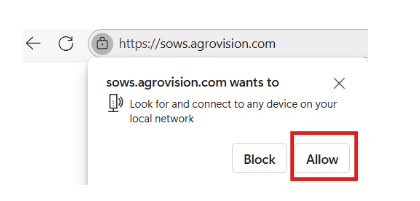
If you are trying to start AgroVision Sows but all you see is a white screen. Go to the site information icon next to the URL bar and click on it.

Click on allow and the program will start normally.
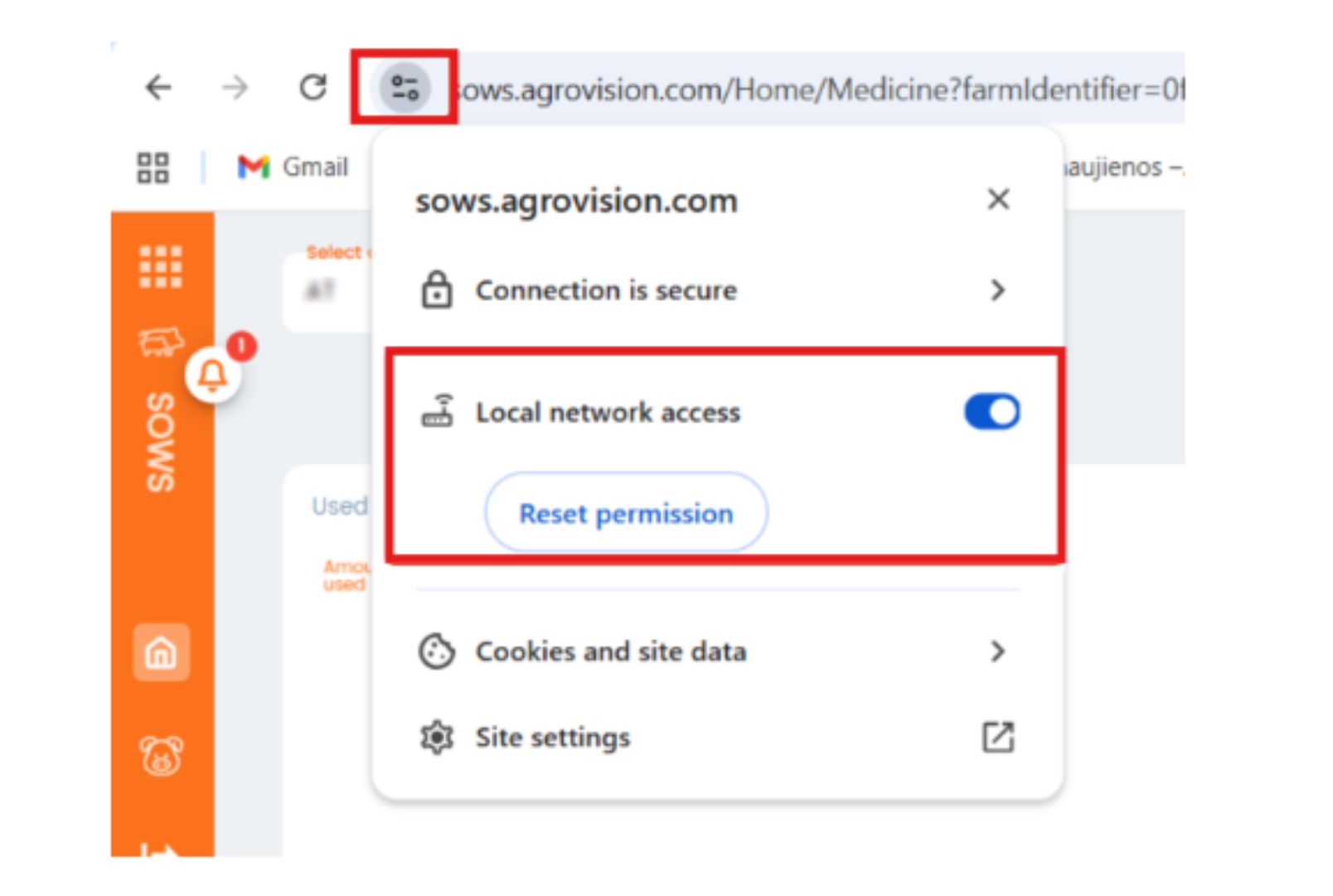
If you have blocked it you can click again on the icon and give permissions back.
Was this article helpful?
That’s Great!
Thank you for your feedback
Sorry! We couldn't be helpful
Thank you for your feedback
Feedback sent
We appreciate your effort and will try to fix the article