When creating a sale and selecting animals, you may select an animal that has already been reserved in another sale. If this happens, the system displays a confirmation message asking whether you want to move the animal to the current sale.
This message appears whenever the selected animal is already assigned to another active sale.
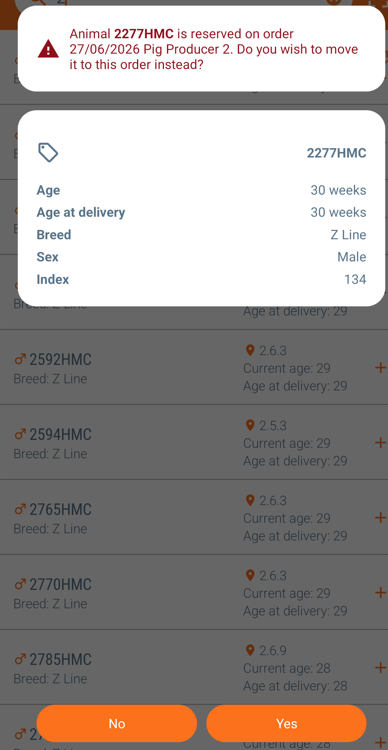
- Click “Yes” moving the animal to the current list.
- Click “No” leaving the animal on the original list.
If you choose "Yes", the animal is moved from the previous sale to the current sale. The reservation is transferred, ensuring the animal is only included in one active sale at a time.
After the animal has been added to the current sale, you can continue selecting additional animals or proceed to the next step and approve the sale.
Was this article helpful?
That’s Great!
Thank you for your feedback
Sorry! We couldn't be helpful
Thank you for your feedback
Feedback sent
We appreciate your effort and will try to fix the article