The "Exit" function is used to register animals that leave the farm, for example due to slaughter, sale, death, or euthanasia.
- Go to "Animal events" - "Exit".
- Click "+ Add new row".
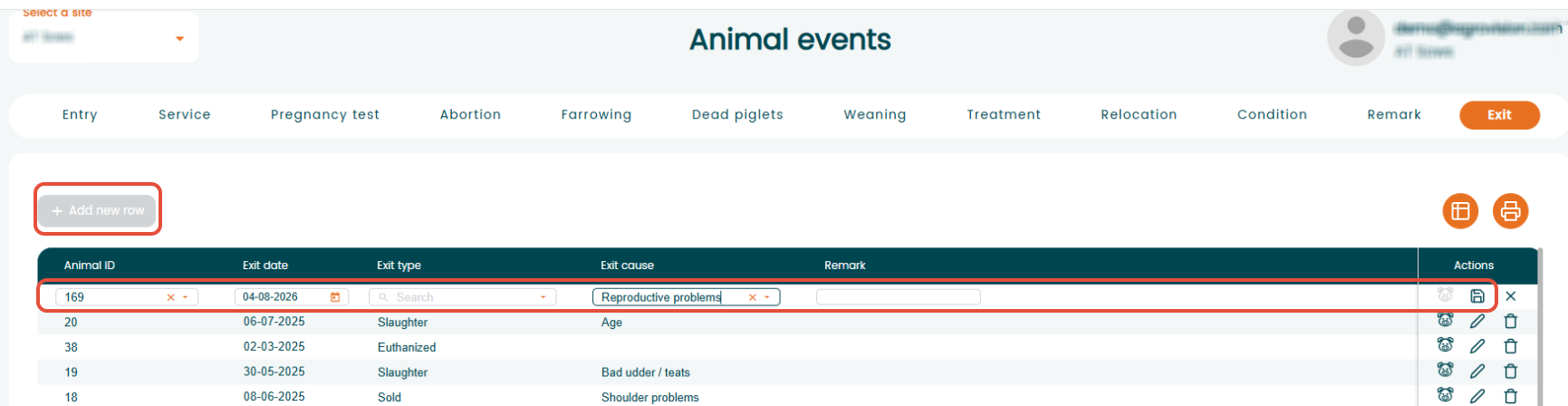
- Enter the animal ID and the date of exit.
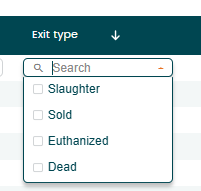
- Select the "Exit type" from the dropdown list (e.g., slaughtered, sold, dead, euthanized).
Exit types are predefined in the system and cannot be changed.
:
- If required, select an "Exit cause" from the Exit cause column.
- Save the record to complete the registration.
Was this article helpful?
That’s Great!
Thank you for your feedback
Sorry! We couldn't be helpful
Thank you for your feedback
Feedback sent
We appreciate your effort and will try to fix the article