To create a treatment plan, go to "Settings" and choose the "Health" option. First you need to register the causes, then the medicines and after that you can design your treatment plans.
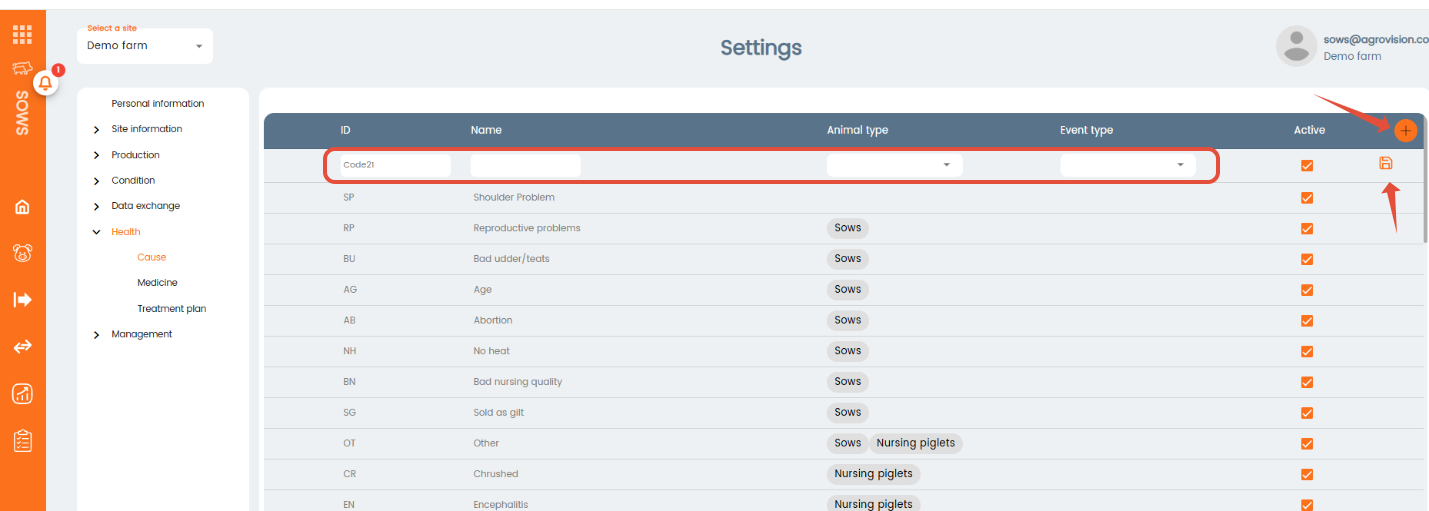
First section of the health menu is "Cause". Here you will register all the diseases you want to enter in the app. To register a new cause click on the "+" icon located in the upper right corner of the table and fill in the information of the cause, then click on the Save icon. You can decide if the cause you are registering is a cause, is a diagnosis or is both.
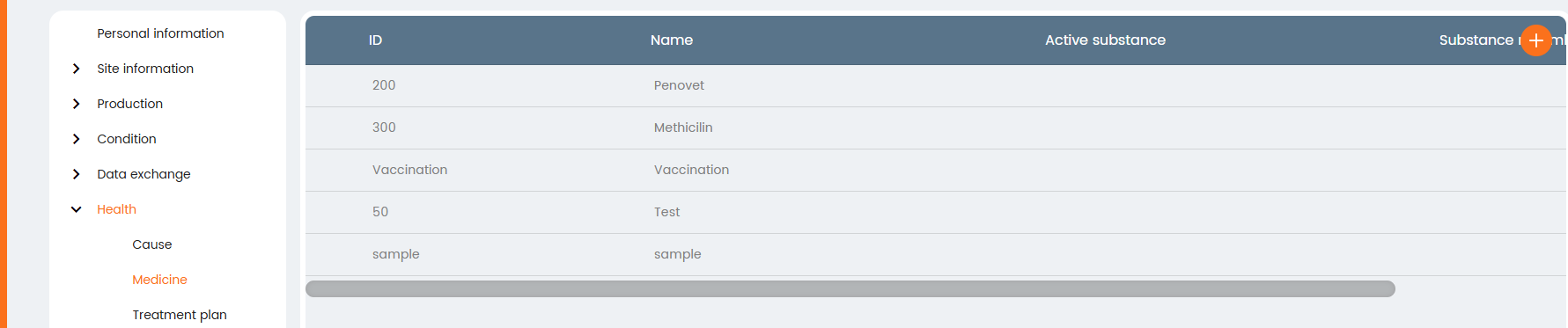
Next section is "Medicine" where you can register all the medicines you will use. Click on the "+" icon located in the upper right corner of the table and fill in the information of the medicine.
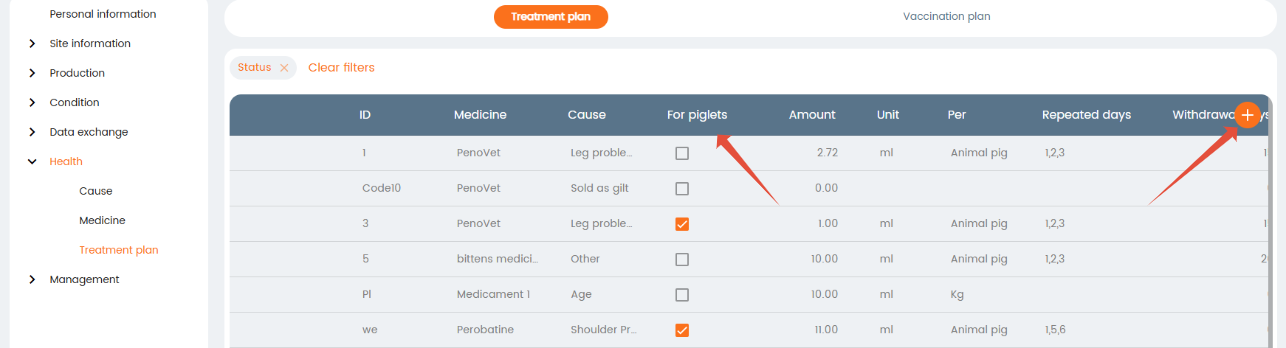
The following section is "Treatment plan". In this window, you can specify your Treatment plans and/or your
vaccination plans. Specify which causes are present, which medication should be used for these causes, how much medication should be used, how many days the treatment will last, and how many days the withdrawal period should be for this specific plan. To register a new plan click on the "+" icon located in the upper right corner of the table and fill in the required information. Checkmark if the treatment is used to treat suckling piglets.
Was this article helpful?
That’s Great!
Thank you for your feedback
Sorry! We couldn't be helpful
Thank you for your feedback
Feedback sent
We appreciate your effort and will try to fix the article