Improved design of the web application
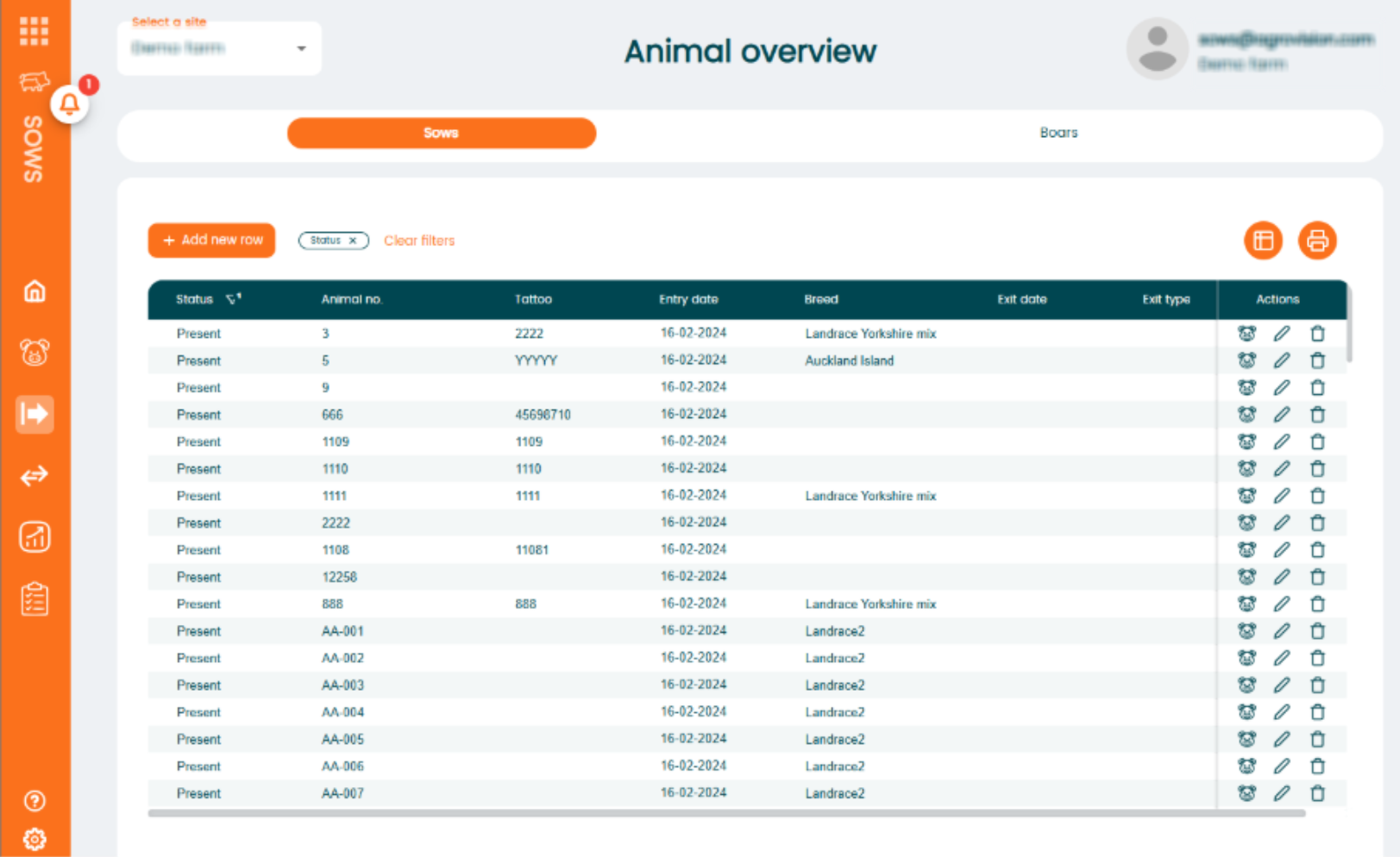
The design has been updated with a new look for the tables, and the colours have also been refreshed. The new design will be applied throughout the entire application.
New design
- Zebra stripes have been introduced in all tables to provide a better overview and improve readability.
- The “Add New” button has been moved above the table for better consistency across the application.
- An "Action" column has been added. This column is fixed (not movable), so there is no need to scroll horizontally to perform the following actions:
- "Edit" / "Save" buttons;
- "Delete" (trash can) icon;
- "Animal card" icon
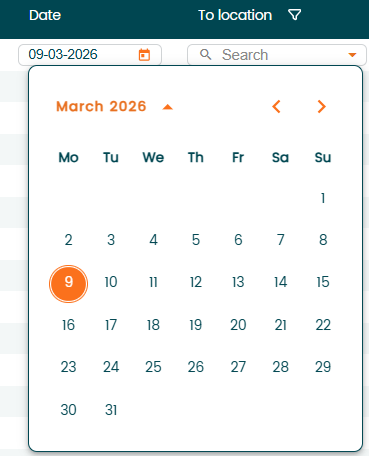
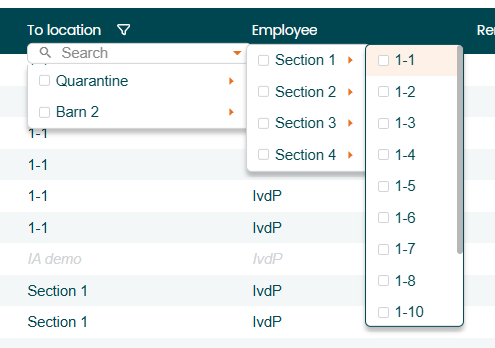
- Updated design for several dropdown components:
- Location selection;
- Batch selection;
- Date picker.
 |  |
Improved data entry
To make data entry easier using only the keyboard, the following improvements have been implemented:
- "Arrow keys" can now be used to navigate within dropdown menus.
- "Down" arrow – opens the dropdown.
- "Right" / "Left" arrows – opens sections within a dropdown (e.g., locations and their sub-sections).
- "Up" arrow – Navigates upward in the list.
- "Space bar" – Selects the highlighted option in the dropdown.
- "Enter"
- Moves to the next field.
- When pressed in the last field of a row, the line will be saved automatically, and a new row will open for continued data entry.
- "Tab"
- Navigates to the next or previous field.
Worklists
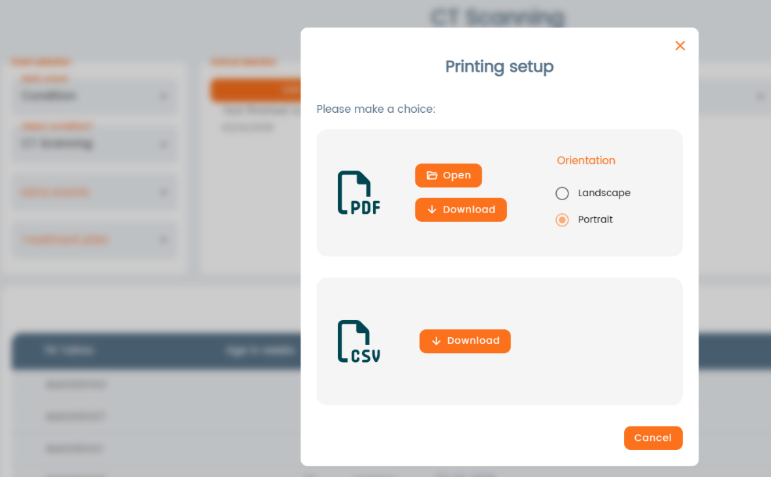
The printing feature for the worklists has been enhanced to present the same print dialog as seen in other areas of the program. This enables you to select whether to open the download in PDF format or to save it as a PDF or CSV file.
Treatment report
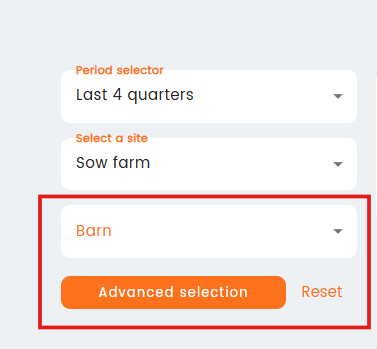
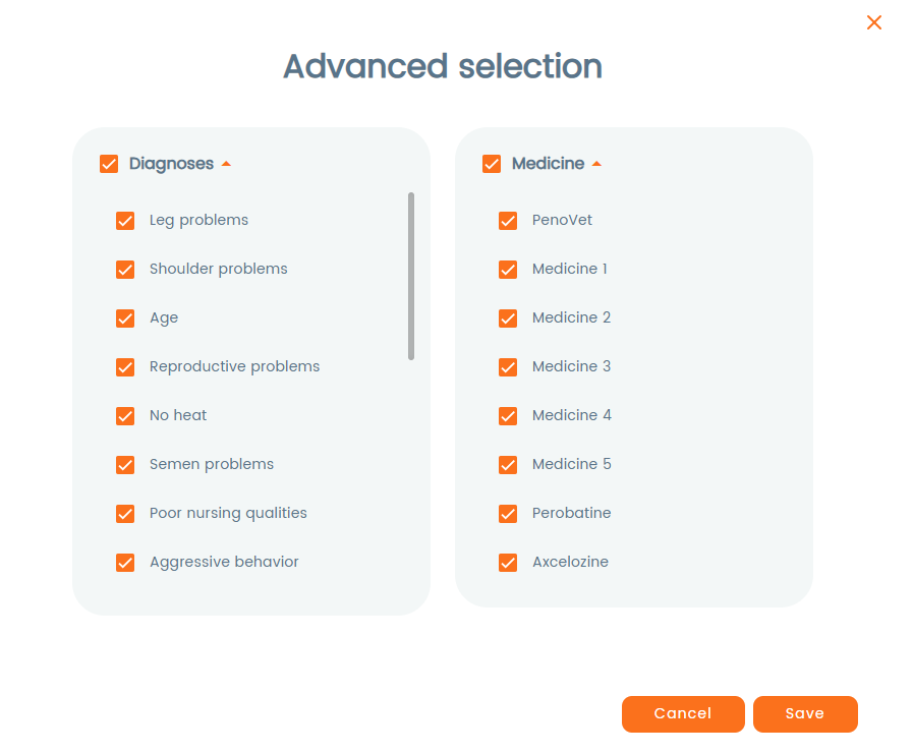
Before putting together a report, you can now make some extra choices. This includes picking on barn and also the advanced options where you can choose a medicine and a diagnosis. If you have a specific time period in mind, you can apply these choices at that period level.
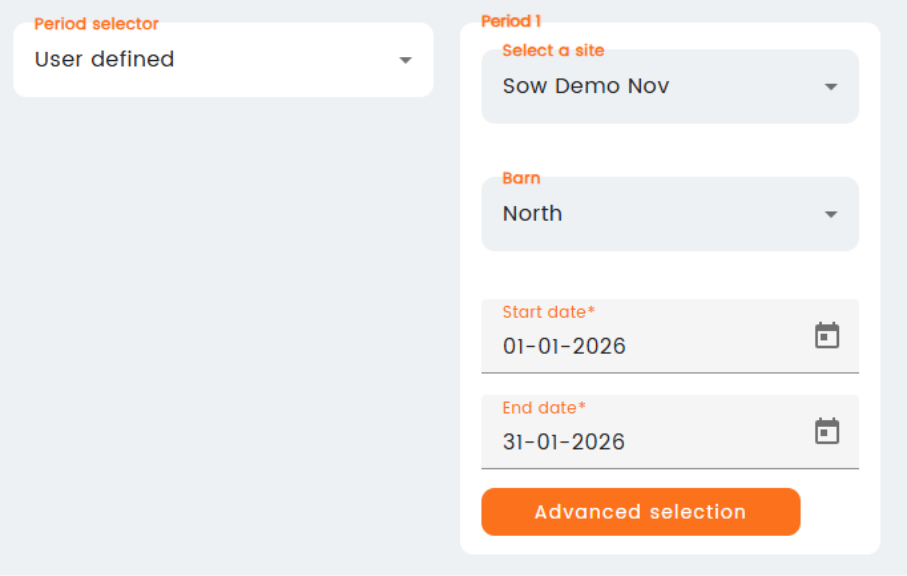
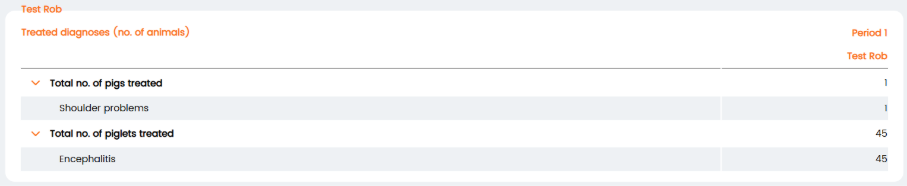
In the diagnosis table that has been modified, a dropdown for each animal category has been included.
Sow farms
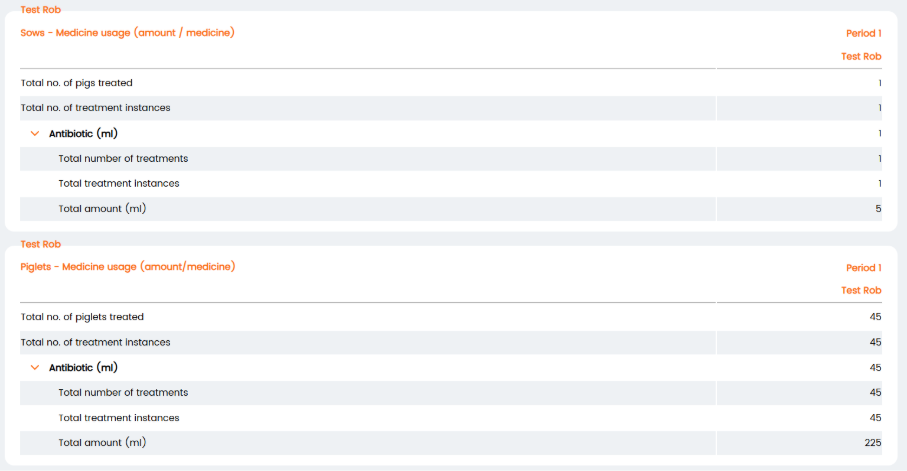
The medicine usage table has been split into separate tables for sows and piglets. The treatment instance KPI has been added showing the number of performed treatments. Information can be found in a collapsable sub menu.
Individual animal management
In the IA "Medicine report", a new table has been added “treatment by age”:

Was this article helpful?
That’s Great!
Thank you for your feedback
Sorry! We couldn't be helpful
Thank you for your feedback
Feedback sent
We appreciate your effort and will try to fix the article