Selling of animals
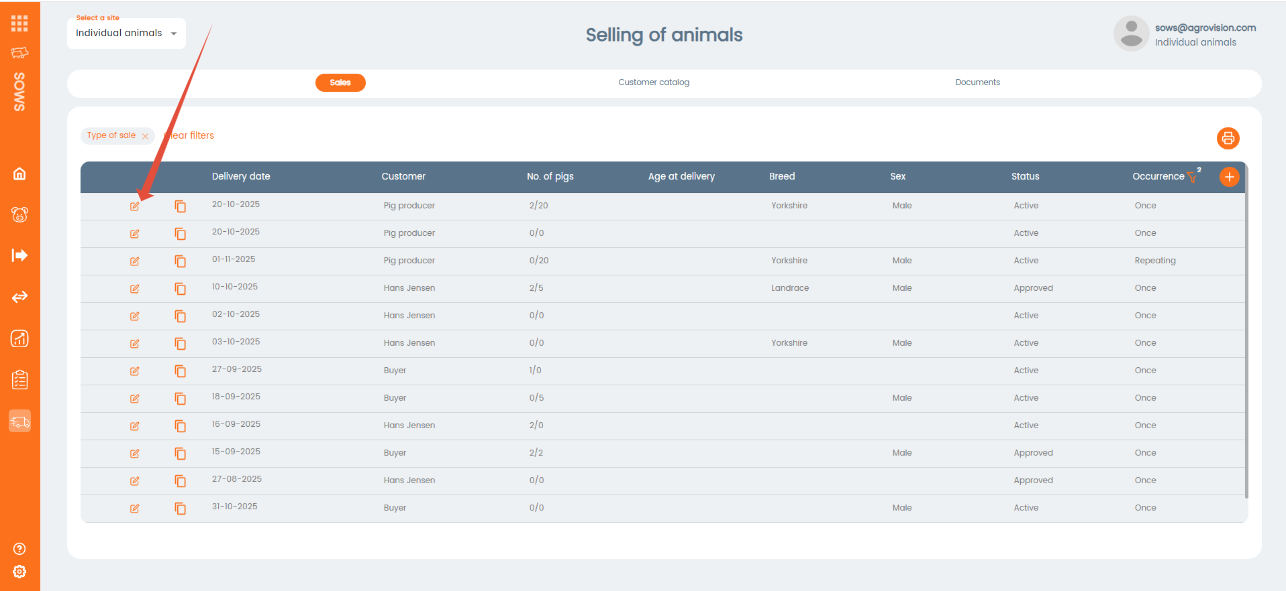
This function allows you to create and select animals for a sale. When you create a sale, go to the menu Selling of animals.
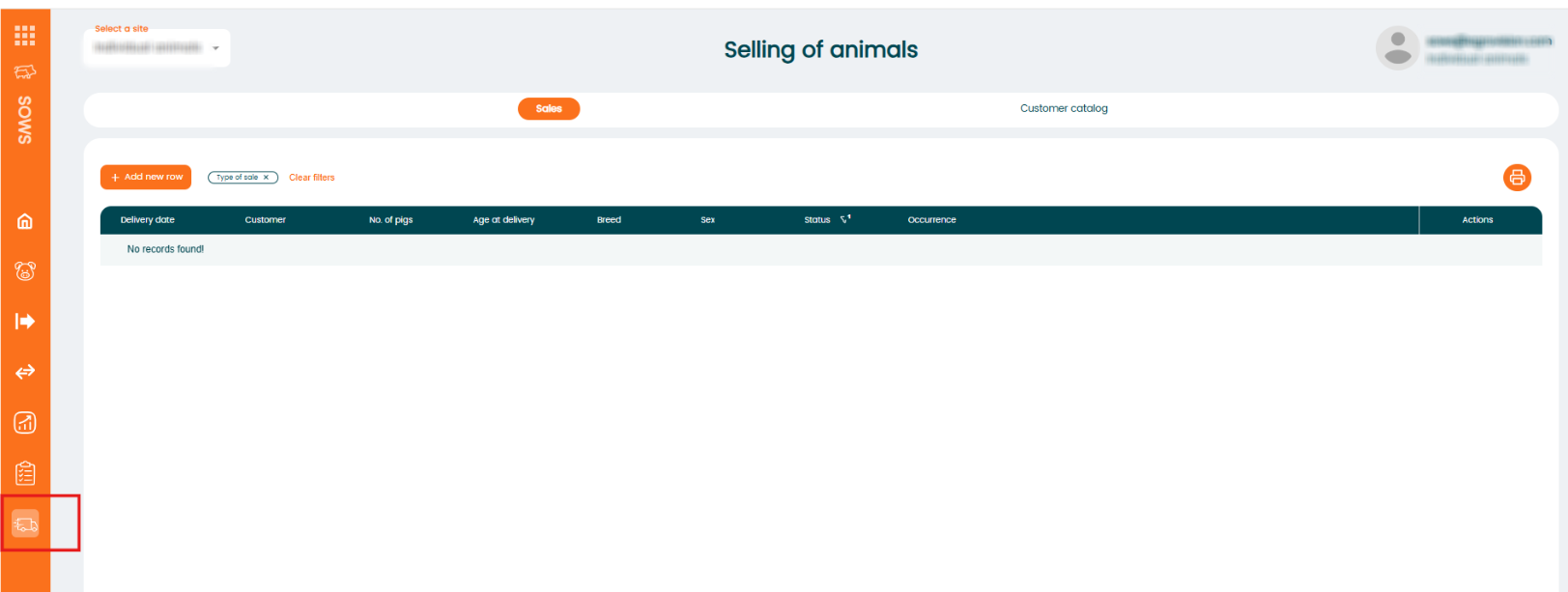
To create a new sale click on "+Add new row" and choose whether it is new single sale or repeating sale:

Single sale
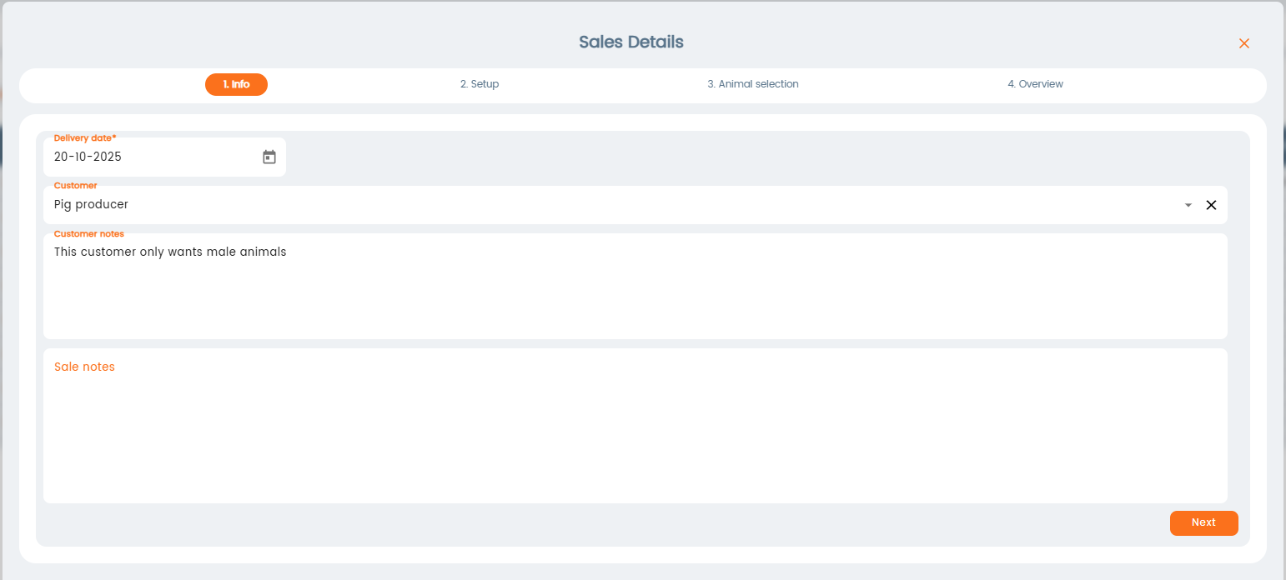
When you click “New Single Sale” a new window will open. Here, you’ll need to enter the sale details and choose the animals you want to include in the sale.
Enter the delivery date (required), then select a customer from the list. Note: customer is not required in this step, it can be added later. You can also enter Customer Notes, which will be visible for internal use only. Click next.
The customer list can be created under Settings → Management → External Relations, by checking the Customer box or you can add a new customer from the main menu by choosing Customer catalogue.
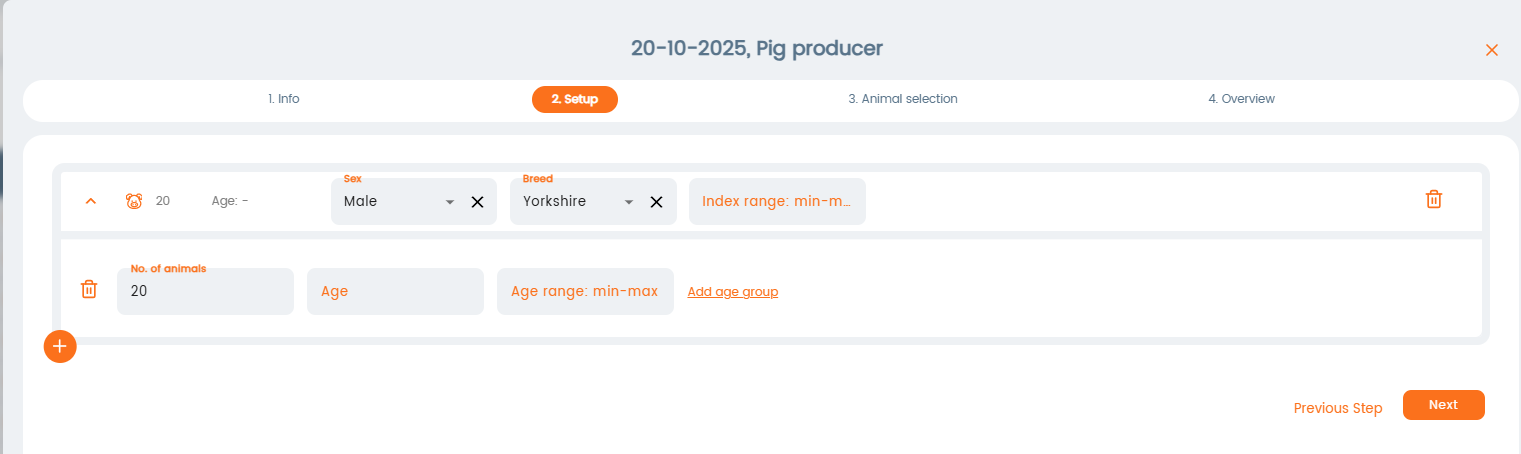
In the "Setup" window, you can define the criteria for which animals should be selected, such as age, sex, breed, etc. If you don’t want to set any criteria, you can skip this step and go directly to the "Animal Selection" menu. Click "Next".
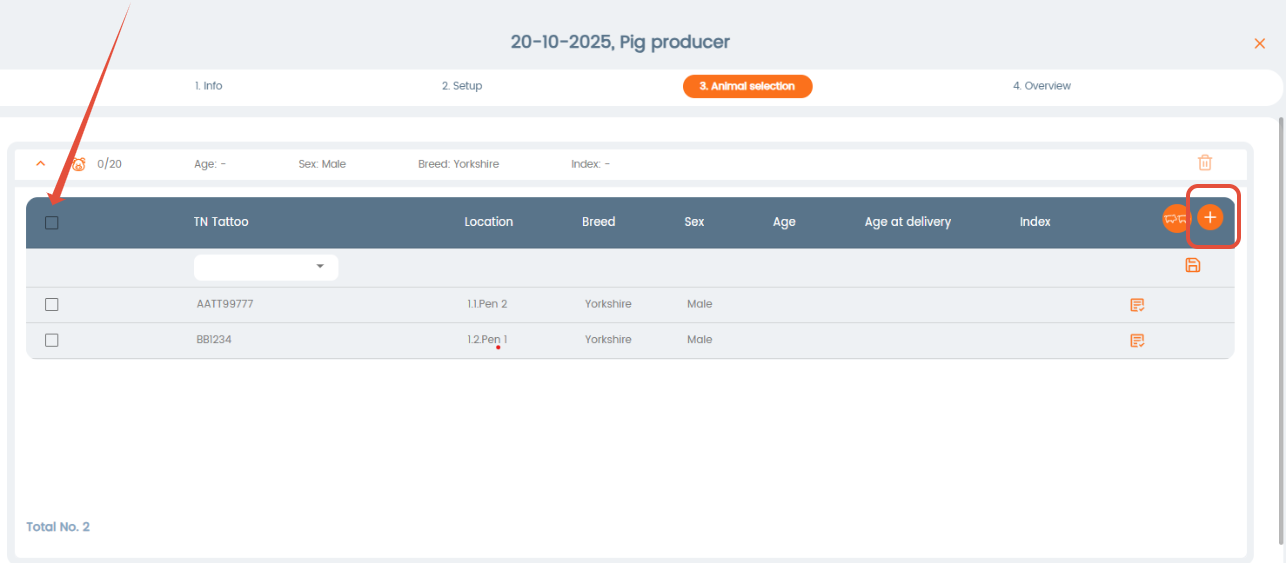
The "Animal Selection" window will display animals based on the criteria you set. If you skipped setting up criteria, you can add animals manually by clicking the “+Add new row” button.
Select the animals from the list that are valid for sale by checking their boxes, or select all animals by clicking the checkmark at the top.
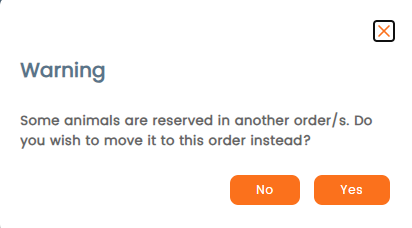
The program will check if all animals can be included in the sale. You’ll receive a warning if any animals don’t meet the criteria or are already selected in another sale or order.
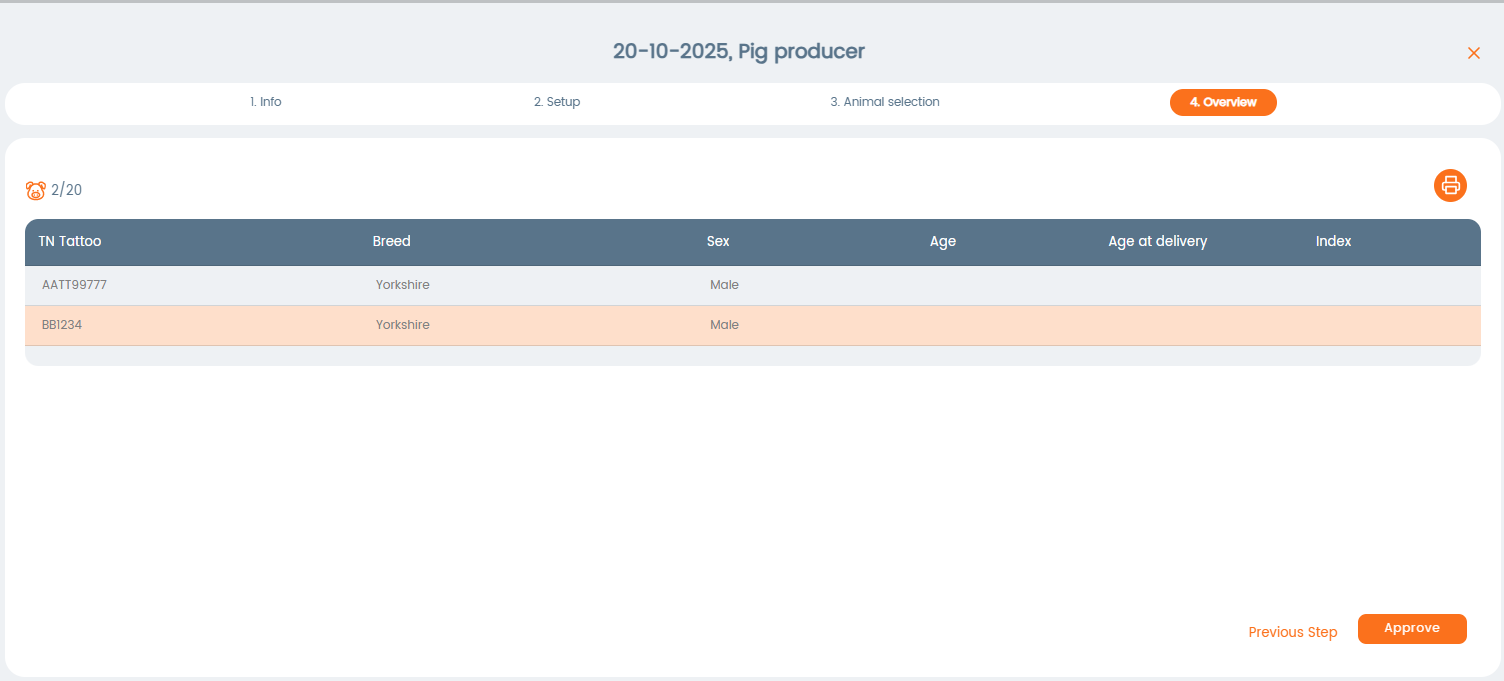
In the final step, you’ll see an overview of the selected animals. To complete the process, click Approve. The sale will then be created. Note: a sale can only be approved maximum one day into the future.
Repeating sale
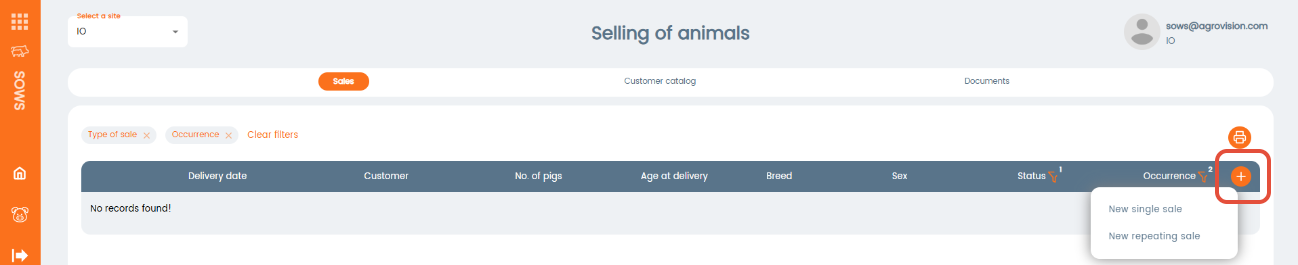
Click on + and select New repeating sale
Enter delivery date and click on pencil to select reoccurrence
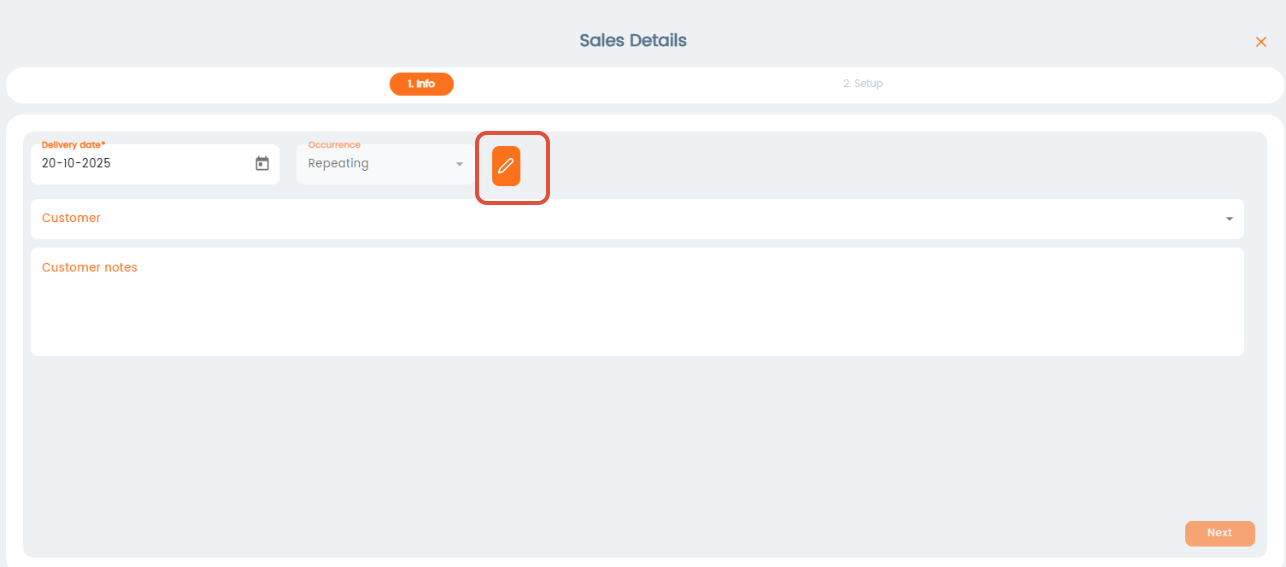
Fill in information and press Save. 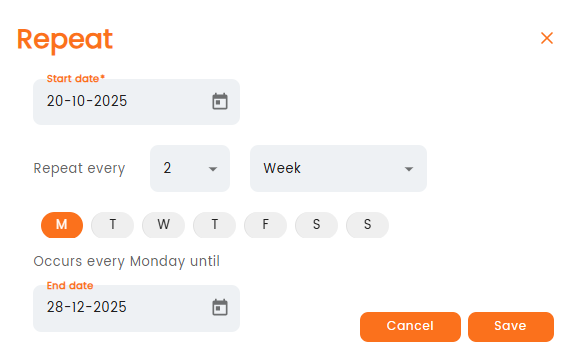
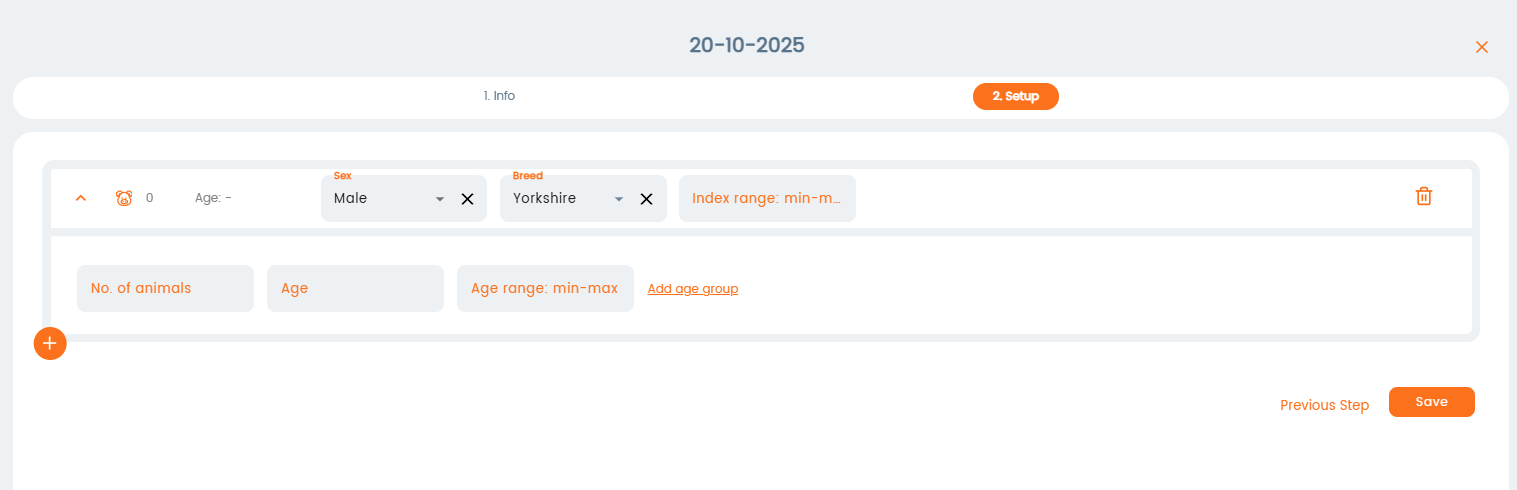
Press Next and select criteria for animal selection. Click Save when done.
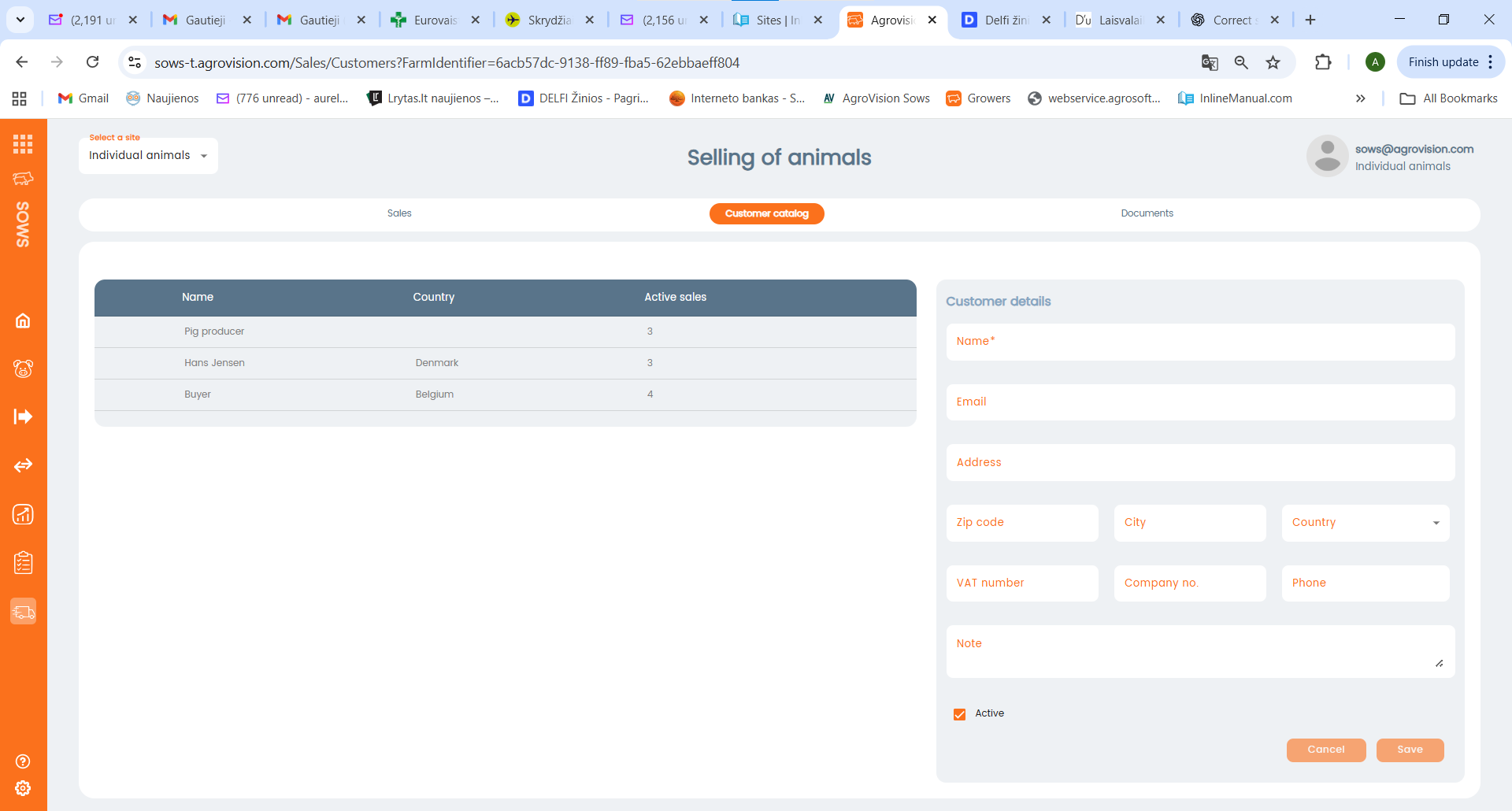
Customer catalogue:
To add a new customer, open the Customer Catalogue. Existing customers, which were created under Settings → Management → External Relations, will be shown. To add a new customer, fill in the information on the right and click Save.
Was this article helpful?
That’s Great!
Thank you for your feedback
Sorry! We couldn't be helpful
Thank you for your feedback
Feedback sent
We appreciate your effort and will try to fix the article